How FitMagik's Try-On Credits Actually Work (And Which Plan Fits Your Store)

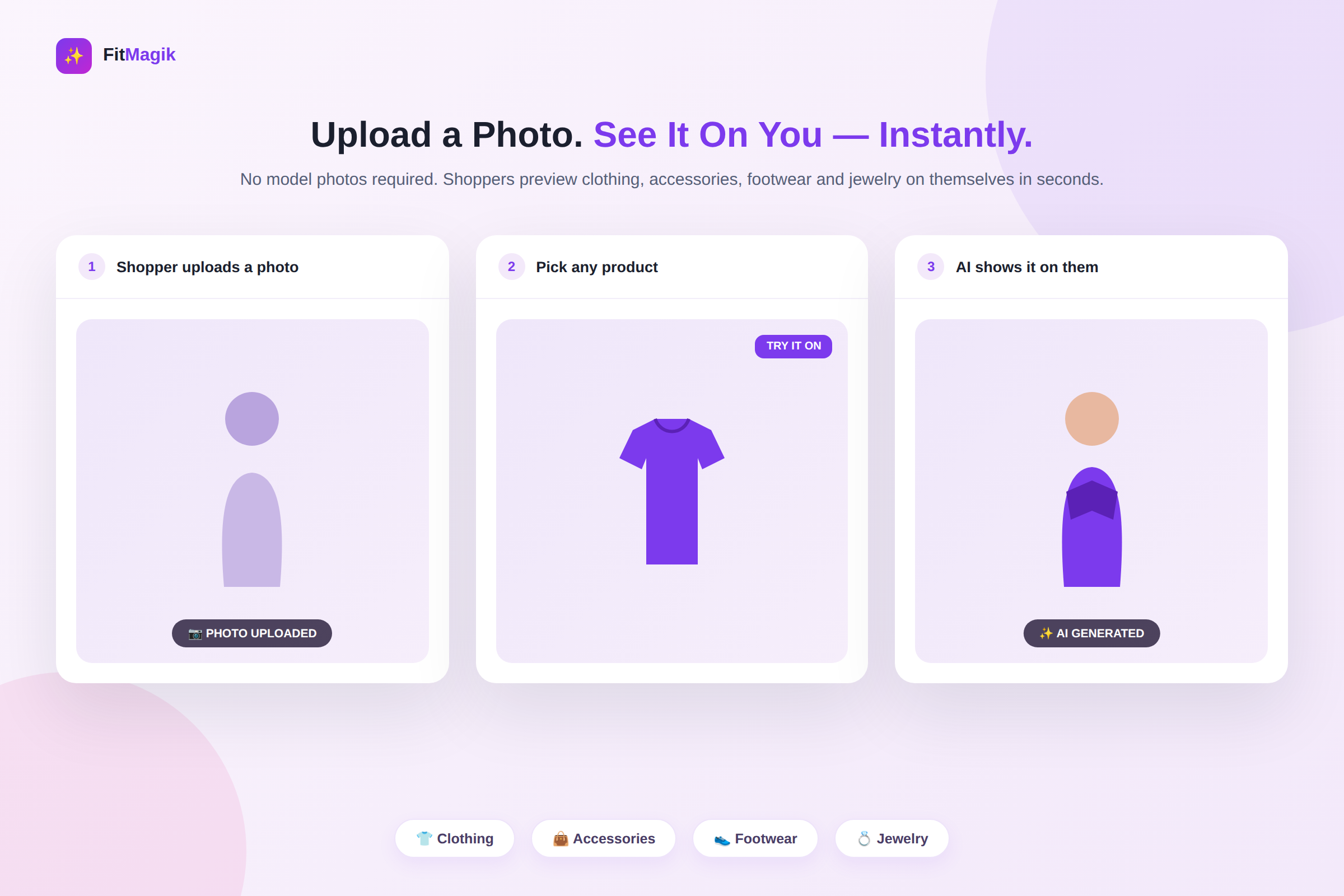
Install FitMagik: AI Virtual Try‑On App Now
Before You Install an AI App, You Should Know What You're Actually Paying For
AI features have a reputation problem: usage-based pricing that's hard to predict and a nagging worry that a glitchy generation is going to eat into a limit you're already watching closely. That's a fair thing to want clarity on before you turn on an AI virtual try-on experience for every product page in your store.
So here's the straightforward version of how FitMagik's try-on credits actually work and a plan-by-plan breakdown so you can pick a tier that matches your store's real volume — not a guess.
What Counts as "One Try-On"
Every time a shopper uses FitMagik, the app generates one AI image showing one product on that shopper's uploaded photo. That single successful image is what counts once toward your monthly allowance.
Here's the part worth knowing before you install anything: if a generation fails, it is not counted against your limit. Shoppers can retry a failed try-on without you losing a credit over it. Your monthly allowance is spent on results, not attempts.
That matters because it means your plan's try-on number is a genuine usage ceiling, not a number padded by errors and retries you have no control over.
Works Across Categories — No Model Photos Required
FitMagik isn't limited to one product type. It generates try-on previews for:
- Clothing — tops, dresses, outerwear and more
- Accessories — bags, hats, scarves and similar items
- Footwear — sneakers, boots, sandals
- Jewelry — rings, necklaces, earrings
None of it requires you to shoot or license model photos first. The shopper's own uploaded photo is the only "model" the app needs, which means FitMagik works the same way whether you sell one category or all four.
Which Plan Actually Fits Your Store
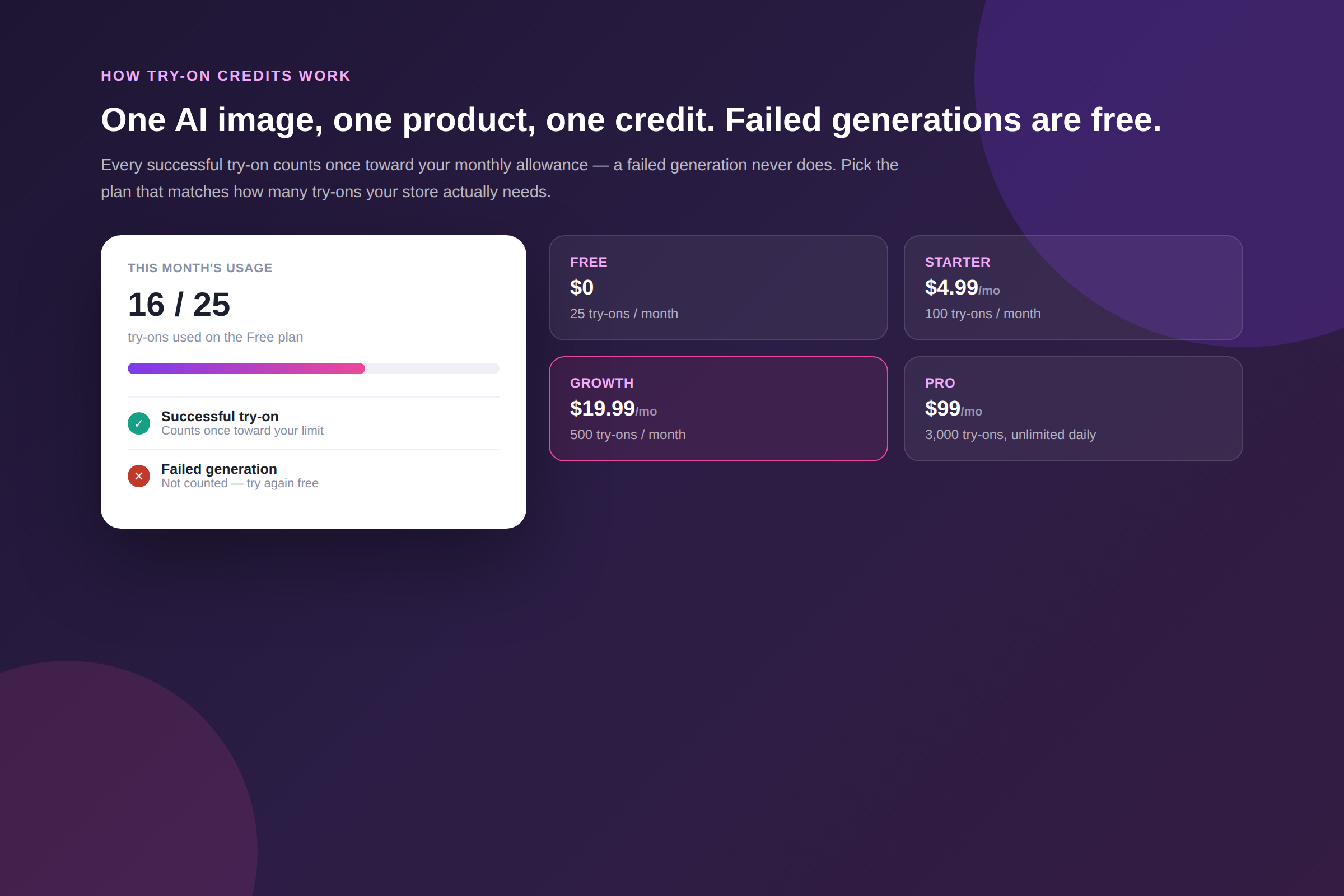
FitMagik's four plans are built around try-on volume, so the right one comes down to a simple question: roughly how many try-ons will your store generate in a month?
Free — $0/month 25 try-ons per month, capped at 3 per shopper per day. A solid way to test the experience on a handful of product pages before committing to anything.
Starter — $4.99/month ($49/year) 100 try-ons per month, with a 7-day free trial. Fits a smaller catalog or a store just turning the feature on for the first time.
Growth — $19.99/month ($199/year) 500 try-ons per month, also with a 7-day free trial. A reasonable landing spot for a store where virtual try-on is getting real, regular traffic across several product pages.
Pro — $99/month ($999/year) 3,000 try-ons per month with unlimited daily usage per shopper, plus custom CSS styling and API access for usage data. Built for stores running try-on at scale across a large catalog.
If you're not sure where you'll land, the Free plan is the honest way to find out — 25 real try-ons will tell you more about your store's actual demand than any estimate.
One-Click Setup, No Developer Required
Whichever plan you choose, setup is the same: add the Try It On button to your product page template through the Shopify theme editor. No coding, no developer, no separate integration to maintain.
Why the Credit Model Matters for Conversion
The reason any of this is worth explaining is that FitMagik's core job is reducing hesitation at the exact moment a shopper is deciding whether to buy. Letting customers preview how an item will actually look on them — not on a model — builds the kind of confidence that lowers returns and lifts conversions. A pricing model that only charges you for results you actually got keeps that experience predictable to run at whatever scale your store needs.
FAQ
Does a failed try-on cost me a credit? No. Only a successful, completed AI image counts toward your monthly allowance. Failed generations don't reduce your limit and the shopper can simply try again.
Can shoppers try on unlimited products? On the Free, Starter and Growth plans, there's a daily per-shopper cap in addition to your monthly total. The Pro plan removes the daily cap entirely.
Do I need different setup for clothing versus jewelry or footwear? No. The same Try It On button and setup work across all supported categories — clothing, accessories, footwear and jewelry.
Is there a free trial on paid plans? Yes. Starter and Growth both include a 7-day free trial, so you can validate real usage against a paid tier's limits before committing.
What do I get on the Pro plan besides more try-ons? Pro adds unlimited daily usage per shopper, custom CSS styling to match your theme more closely and API access to your usage data.
Bottom Line
FitMagik's pricing is built around one clear unit — a successful AI try-on image — and it only charges you for the ones that actually worked. That's a small detail, but it's the difference between a predictable monthly cost and a usage meter you have to watch nervously. Start on the Free plan, watch your real numbers for a few weeks and move up when your store's demand tells you to.
💡 Need help? Our support team is here for you 24/7 - support@appifycommerce.com