Shopify Stores Have 33% More Accessibility Errors Than Average — Here's the 2026 Data (And a $4.99 Fix)

👉 Fix your store's accessibility now: Install AC ‑ Accessibility Toolkit on the Shopify App Store →
Every year, WebAIM scans the top 1,000,000 websites for accessibility errors. Their 2026 report just dropped — and the results for ecommerce are brutal.
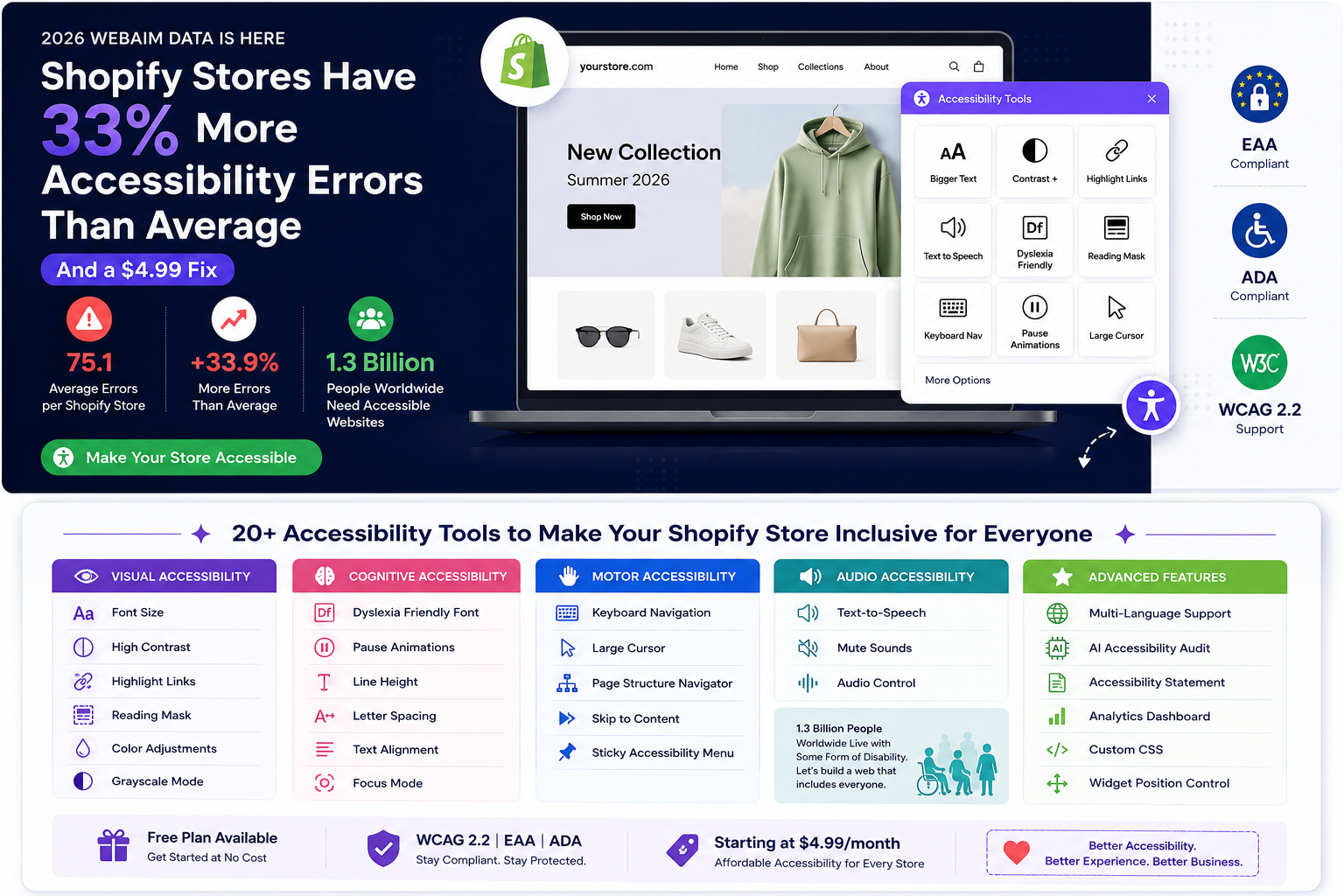
Shopify stores average 75.1 accessibility errors per home page. That's 33.9% more errors than the web-wide average of 56.1 errors per page. Shopping sites in general scored 71.0 errors — 26.6% above average. Only sports sites performed worse in the entire study.
If you're running a Shopify store, your site is statistically one of the least accessible on the internet. That has real consequences: lost customers, legal exposure, and invisible revenue leaking out every day.
The Numbers: Why Ecommerce Is Failing at Accessibility
WebAIM's 2026 analysis tested every page using the WAVE engine against WCAG 2.2 Level A/AA criteria. Here's what they found:
The web is getting worse, not better
- 95.9% of home pages had WCAG 2 conformance failures (up from 94.8% in 2025)
- Average of 56.1 errors per page — a 10.1% increase from 2025
- Home page complexity increased 22.5% in one year (average 1,437 elements per page)
- ARIA attributes increased 27% but pages with ARIA had more errors (59.1) than pages without (42)
Ecommerce is the worst category
| Site Category | Avg. Errors | vs. Average |
|---|---|---|
| Government | 42.4 | −24.4% |
| Non-Profit | 43.0 | −23.3% |
| Technology | 49.0 | −12.6% |
| Business | 52.6 | −6.3% |
| Overall Average | 56.1 | — |
| News/Media | 59.2 | +5.5% |
| Travel | 61.9 | +10.4% |
| Home & Garden | 65.9 | +17.4% |
| Style & Fashion | 66.7 | +18.9% |
| Shopping | 71.0 | +26.6% |
| Sports | 71.4 | +27.3% |
Shopping sites had the second-worst accessibility score of any category. Only sports sites were worse.
Shopify is worse than Magento and the average
| Ecommerce Platform | Avg. Errors | vs. Average |
|---|---|---|
| Shopify | 75.1 | +33.9% |
| Magento | 75.8 | +35.0% |
| Prestashop | 143.2 | +155.3% |
Every major ecommerce platform scored significantly above the web average. Shopify's 75.1 errors per page means a typical Shopify home page has 19 more accessibility errors than an average website.
The 6 errors on 96% of all pages
WebAIM found that just 6 error types accounted for 96% of all detected issues:
| Error Type | % of Pages Affected |
|---|---|
| Low contrast text | 83.9% |
| Missing alt text for images | 53.1% |
| Missing form input labels | 51.0% |
| Empty links | 46.3% |
| Empty buttons | 30.6% |
| Missing document language | 13.5% |
These are the same 6 errors that have topped the list for 7 consecutive years. They're not complex technical challenges — they're fundamentals that keep getting ignored.
Why This Matters: The Legal and Commercial Reality
The legal landscape
- EAA (European Accessibility Act) became enforceable on June 28, 2025. If you sell to EU customers, your online store must comply with EN 301 549 (which maps to WCAG 2.1 AA). Non-compliance can result in fines.
- ADA lawsuits in the US continue to increase. Web accessibility lawsuits have averaged over 4,000 per year since 2021, with ecommerce being the most targeted sector.
- AODA (Ontario) and other Canadian accessibility laws apply to businesses with Ontario customers.
The commercial reality
- 1.3 billion people worldwide live with some form of disability (WHO)
- That's 16% of the global population — a market segment larger than China
- People with disabilities and their families control an estimated $13 trillion in annual disposable income globally (Return on Disability)
- 71% of customers with disabilities will leave a website that's difficult to use (Click-Away Pound)
- WebAIM's own conclusion: "vibe coding" (AI-assisted development) is making accessibility worse, as sites get more complex without accessibility fundamentals
If your Shopify store has 75+ accessibility errors, you're simultaneously:
- Excluding 16% of potential customers
- Exposing yourself to ADA/EAA legal action
- Losing revenue from frustrated users who can't navigate your site
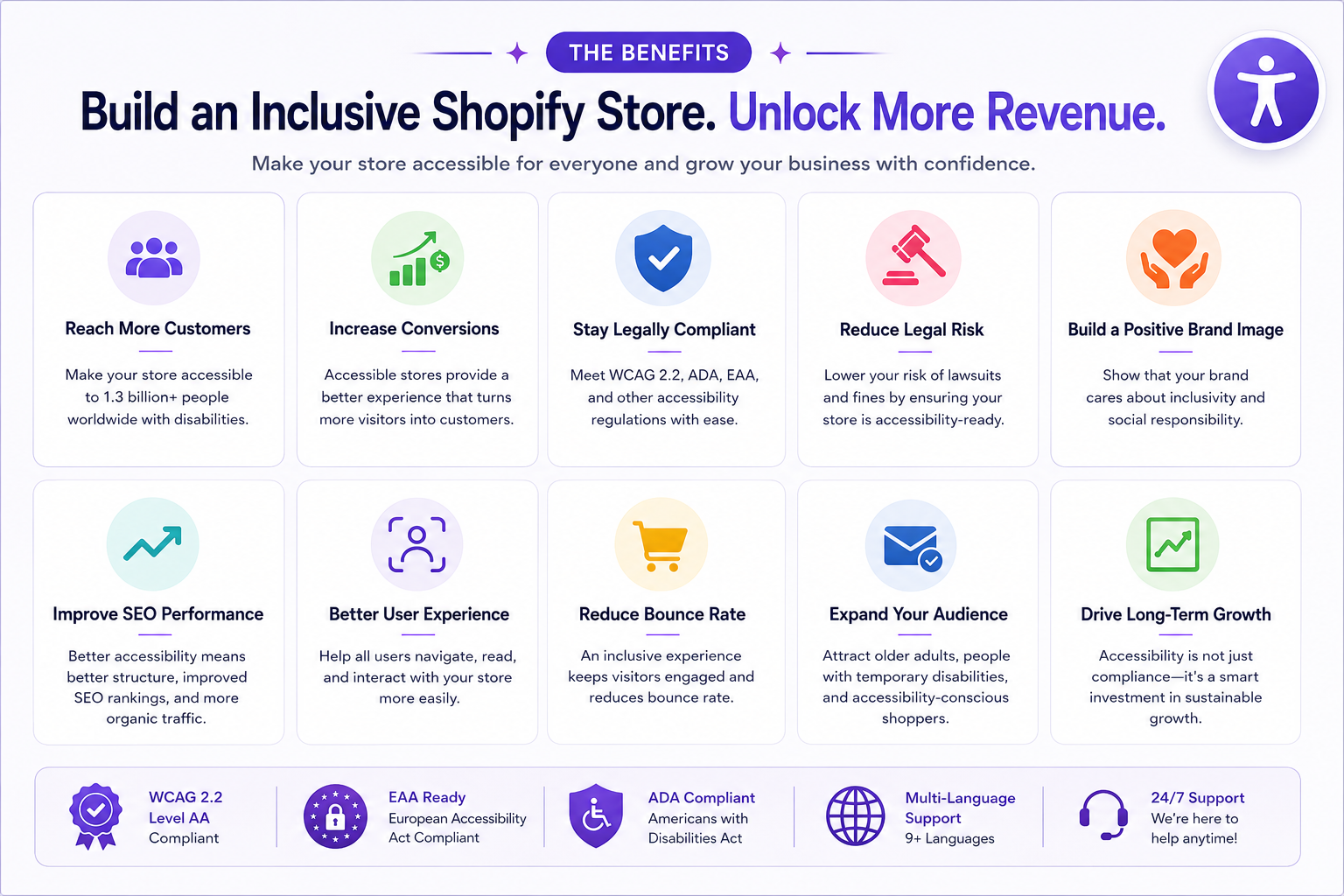
What an Accessibility Widget Actually Fixes
An accessibility widget doesn't replace proper semantic HTML — no tool can fix 100% of WCAG issues automatically. But it provides user-controlled accommodations that let visitors adjust your site to their needs in real time.
Here's what a good accessibility widget handles:
Visual accommodations
- Font size controls — increase/decrease text size globally
- High contrast modes — invert colors, grayscale, saturation adjustments
- Highlight links and headers — make navigation elements visually obvious
- Reading line / reading mask — focus tool that highlights the current line of text
Cognitive accommodations
- Dyslexia-friendly font — switch to a font designed for dyslexic readers
- Pause animations — stop all moving/flashing content site-wide
- Line height and letter spacing — increase readability with better text spacing
- Text alignment — switch between left, center, right, justify
Motor accommodations
- Keyboard navigation — full keyboard control with visible focus indicators
- Large cursor — enhanced cursor visibility for users with motor difficulties
- Page structure navigator — jump directly to headings, landmarks, or links
Audio accommodations
- Text-to-speech — read selected text or full page aloud with play/pause controls
- Mute sounds — silence all audio on the page
Disability profiles
- Pre-configured profiles for common needs: Visually Impaired, Blind, ADHD, Dyslexia, Eco Mode
AC – Accessibility Toolkit: The Affordable Alternative
AC – Accessibility Toolkit provides all of the above — 20+ accessibility tools, disability profiles, multi-language support, and a customizable widget — starting with a free plan.
Why merchants switch from expensive alternatives
One of our 5-star reviews tells the story:
"We previously were paying $45/mo with AudioEye and then, after 5 months, they told us our fee was going up to $199/mo. Another greedy co trying to price gouge small businesses." — Seriously FAB®, United States (5★, April 2026, almost 4 years using the app)
This is the reality of the accessibility market: enterprise tools charge $45–$250/month for essentially the same widget functionality. AC – Accessibility Toolkit provides it from free to $9.99/month.
Pricing comparison
| Feature | AC Accessibility Toolkit | AudioEye | accessiBe | UserWay |
|---|---|---|---|---|
| Starting price | Free | $45/mo → $199/mo | $49/mo | $49/mo |
| Full widget | ✅ Free | ✅ $45+ | ✅ $49+ | ✅ $49+ |
| Customization | ✅ $4.99/mo | ✅ $199+ | ✅ $49+ | ✅ $49+ |
| Multi-language | ✅ $9.99/mo | ✅ Enterprise | ✅ $49+ | ✅ $49+ |
| Accessibility audit | ✅ $9.99/mo | ✅ Enterprise | ✅ $49+ | ❌ |
| Analytics | ✅ $9.99/mo | ✅ Enterprise | ❌ | ❌ |
| Accessibility statement | ✅ $9.99/mo | ✅ $199+ | ✅ $49+ | ✅ $49+ |
| Shopify rating | 5.0★ (17 reviews) | N/A | 2.3★ | 3.3★ |
| Custom CSS | ✅ $4.99/mo | Enterprise only | ❌ | ❌ |
What's included in each plan
Free ($0/month):
- All 20+ accessibility tools
- 5 disability profiles (Visually Impaired, Blind, ADHD, Dyslexia, Eco Mode)
- Text-to-speech, contrast modes, font controls, keyboard navigation
- Default widget design
Basic ($4.99/month):
- Everything in Free
- Widget customization (icon style, colors, position, size, animation)
- 8 icon positions, 5 icon styles (Universal, Wheelchair, Eye, Hand, Ear)
- 6 theme presets for instant styling
- 1/2/3-column widget layout options
- Custom CSS
Advanced ($9.99/month):
- Everything in Basic
- Multi-language support (30+ languages + custom)
- Accessibility statement (external link, in-app, or none)
- AI-powered accessibility audit (axe-core scan with score, history, and reports)
- Real-time analytics (widget usage, feature popularity, geographic insights)
Technical highlights
- Dual deployment: Works as both a Theme App Embed (Online Store 2.0) and script-tag injection — guaranteed compatibility with any Shopify theme
- Lightweight widget: Loads asynchronously, doesn't block page render
- Keyboard shortcuts: Full keyboard navigation with customizable shortcut guide
- Page structure viewer: Tabbed navigator showing headings, landmarks, and links
- Go + MongoDB backend: Enterprise-grade infrastructure, not a WordPress plugin
5 Steps to Fix Your Shopify Accessibility Score This Week
Step 1: Run a free accessibility check
Go to WAVE and enter your store URL. You'll see exactly how many errors your home page has. If it's above 56 (the average), you have work to do.
Step 2: Install AC – Accessibility Toolkit
The free plan gives your visitors immediate access to 20+ accommodation tools. Install from the Shopify App Store, enable the app embed in your theme editor, and the widget appears on your storefront.
Step 3: Fix the top 3 automated errors
Based on WebAIM's data, focus on these first:
- Low contrast text (83.9% of sites) — check all text meets 4.5:1 contrast ratio
- Missing alt text (53.1%) — add descriptive alt text to every product image
- Missing form labels (51%) — ensure every input field has a visible
<label>
Step 4: Test with keyboard navigation
Try navigating your entire checkout flow using only the Tab key. If you can't complete a purchase without a mouse, neither can users with motor disabilities.
Step 5: Run an accessibility audit
Upgrade to the Advanced plan ($9.99/mo) for the built-in axe-core audit. It scans your live store, generates a score, tracks improvement over time, and gives you a downloadable report for compliance documentation.
FAQ
Does an accessibility widget make my site fully WCAG compliant?
No widget alone achieves 100% WCAG compliance. An accessibility widget provides user-controlled accommodations — it lets visitors adjust your site to their needs. Full compliance also requires semantic HTML, proper heading structure, alt text, form labels, and keyboard navigation in your underlying theme code. The widget is an important layer of the solution, not the entire solution.
Is the EAA relevant to my Shopify store?
If you sell to customers in the European Union — even if your business is based outside the EU — the European Accessibility Act (EAA) applies to you as of June 28, 2025. It requires that ecommerce services be accessible according to EN 301 549, which maps closely to WCAG 2.1 AA.
Will the widget slow down my store?
No. AC – Accessibility Toolkit loads asynchronously and doesn't block your page render. The widget script is generated per-shop and served from a fast backend, with no impact on Core Web Vitals.
How does the AI-powered audit work?
The Advanced plan includes an audit feature powered by axe-core (the same engine used by major accessibility testing tools). It runs a headless browser scan of your live store, evaluates against WCAG criteria, generates a numerical score, and stores audit history so you can track improvement over time.
Why is Shopify scoring so poorly on accessibility?
WebAIM's 2026 report attributes the decline to increased page complexity, heavier ARIA usage (which often introduces more errors when implemented incorrectly), and "vibe coding" — AI-assisted development that prioritizes speed over accessibility fundamentals. Shopify's theme ecosystem, third-party apps, and heavy JavaScript usage all contribute to the 75.1 error average.
Can I customize how the widget looks?
Yes. The Basic plan ($4.99/mo) unlocks full visual customization: icon style (Universal, Wheelchair, Eye, Hand, Ear), icon position (8 options), colors (background, text, highlight, tooltip), widget layout (1/2/3 columns), animation, sizing, and custom CSS.
The Bottom Line
WebAIM's 2026 data is clear: Shopify stores are among the least accessible websites on the internet, averaging 75.1 errors per page — 33.9% worse than the web average.
Meanwhile, the legal landscape is tightening (EAA, ADA, AODA), 1.3 billion people with disabilities represent $13 trillion in spending power, and enterprise accessibility tools are charging $49–$199/month for a widget.
AC – Accessibility Toolkit gives your store the same 20+ accessibility tools, disability profiles, multi-language support, and audit capabilities — starting at free, maxing out at $9.99/month.
Your competitors who've already made their stores accessible aren't just being ethical. They're capturing a market segment you're invisible to.
Ready to make your Shopify store accessible?
Install AC Accessibility Toolkit Free →