The BFCM 2026 Bundle Checklist: How to Turn Every Product Page Into a Revenue Engine Before Black Friday

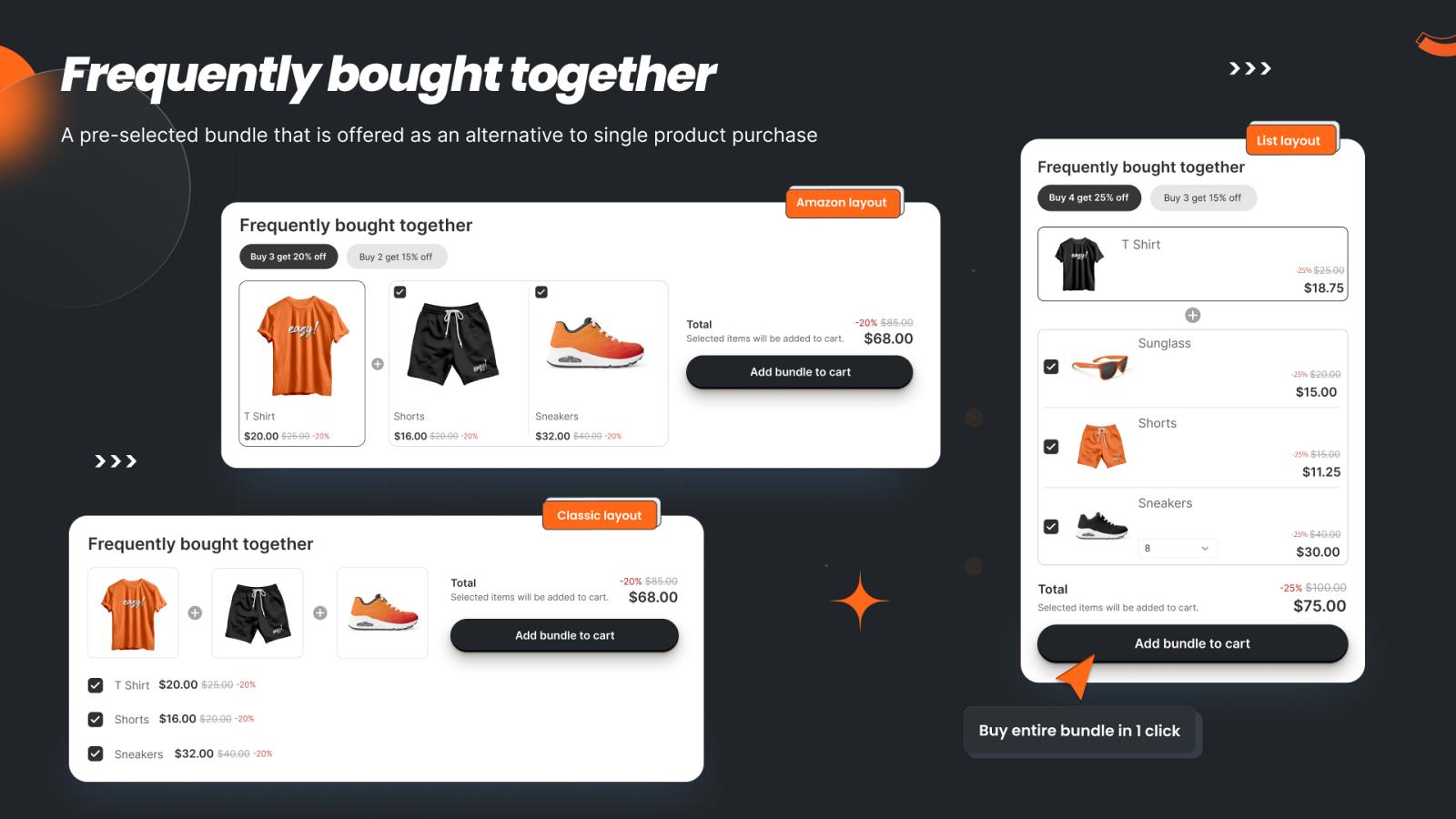
👉 Build your BFCM bundles while there's still time to test them: Install Bundlify ‑ Bought together on the Shopify App Store →
Black Friday Cyber Monday 2026 lands on November 27–30 — which puts most merchants about 16 weeks out right now. That's exactly the window when the stores that win the holiday season stop thinking about traffic and start thinking about order value.
Here's the thing most merchants get wrong about BFCM: they spend their whole budget driving people to the site, then hand every visitor a single-item checkout experience. The stores that come out ahead in Q4 aren't necessarily the ones with the most traffic — they're the ones that get the most out of each visitor who shows up.
Why BFCM Prep Has to Start Now, Not in November
Once Black Friday week hits, you're not making structural changes to your store — you're just watching the numbers come in. Bundle rules, checkout offers, and post-purchase flows all need to be built, tested, and running smoothly before the traffic spike, not during it. Sixteen weeks out is enough time to set things up, run them on regular traffic, see what converts, and refine before the volume arrives.
Here's the checklist we'd run through with Bundlify – Bought Together, mapped to the actual surfaces where a customer makes a buying decision.
1. Product Page: Frequently Bought Together
This is the highest-visibility, lowest-friction surface you have. When someone lands on a product page during a holiday sale, they're already primed to buy — the FBT widget just makes the "buy more" decision easy.
Before BFCM, go through your top 20–30 best-selling products and:
- Set manual FBT recommendations for your highest-margin pairings (the "put a product with the accessory that always sells alongside it" logic).
- For lower-traffic or newer products, turn on collection-based rules so recommendations pull automatically from the same collection — you don't have time to hand-configure your whole catalog in November.
- If you're not sure what pairs well, let the AI/smart fallback fill the gaps rather than leaving product pages with no recommendation at all.
- Pick a widget layout (grid or list) that matches how your holiday landing pages are laid out, and preview it on mobile — most BFCM traffic is mobile.
2. Checkout: Don't Let the Highest-Intent Moment Go Empty
If you're on Shopify Plus, the checkout extension is worth testing now. A customer who has already entered their info at checkout has demonstrated the highest purchase intent of the entire journey — a well-placed, relevant offer here converts better than almost any other prompt you can show earlier in the funnel.
Test this on regular traffic in September and October so you know your offer and discount threshold are dialed in before the volume hits.
3. Post-Checkout: The One-Click Upsell Nobody Sees Coming
The single highest-converting moment in the whole funnel is right after a customer has already paid. They've committed, entered payment details, and are one click away from being done — which is exactly why a relevant, well-discounted add-on offer at this stage tends to outperform every other upsell surface. Set your post-purchase discount threshold now (a good starting point is a meaningful percentage off, gated behind a minimum cart subtotal so it doesn't erode margin on small orders) and let it run through a few weeks of regular traffic before Black Friday.
4. Order Limits: Protect Inventory From Bulk Buyers and Resellers
BFCM discounts attract resellers and bulk buyers looking to exploit a good price — which can wipe out limited holiday inventory before your actual customers get a shot at it. Set min/max order quantities per product or variant now, with checkout validation that actually blocks purchases exceeding your limits (not just a storefront message that's easy to ignore). This is available on Bundlify's Advanced plan, alongside collection-level order limit rules if you want to cap quantities across an entire holiday collection rather than product-by-product.
5. Widget Design: Match Your Holiday Theme, Not Your Default Theme
If you're switching to a holiday theme or color scheme for BFCM, don't forget your bundle widgets. Update title text, button colors, and image styling to match — a recommendation widget that looks like it's from a different store breaks trust at exactly the moment you need it most.
6. Analytics: Set a Baseline Before the Spike
Check your bundle performance analytics now, while traffic is normal, so you have a real baseline to compare against once BFCM traffic arrives. If a particular FBT pairing or post-purchase offer isn't converting, better to find that out in October with time to fix it than on Black Friday itself.
The Math That Makes This Worth Doing Now
Product bundling has been shown to lift average order value by 20–35% across ecommerce stores. If your store typically does $85 average order value and doubles or triples its traffic over BFCM weekend, that AOV lift is happening on a much bigger base — the same percentage improvement is worth dramatically more in November than it is in a normal week. Setting it up now means it's already dialed in and converting when the volume shows up, instead of being something you're improvising in real time.
Get Started Before the Rush
Sixteen weeks feels like a lot of runway, but store setup, testing, and refinement takes real time — and every week you wait is a week less of data to optimize against before the traffic hits.
Set Up Your BFCM Bundles with Bundlify →