SchedulSmart – AI Auto Post: The Complete Guide to Automating Your Shopify Store's Social Media

👉 Stop posting one platform at a time: Install SchedulSmart – AI Auto Post on the Shopify App Store →
Social commerce is projected to reach $1 trillion in transactions by 2028 (Accenture), and 73% of consumers say they've bought a product after seeing it on social media (Sprout Social). Yet the average small business owner still spends 6+ hours a week manually logging into different platforms to post the same content (HubSpot reports consistent posting alone lifts engagement by 67% over sporadic posting — most stores just don't have the hours to be consistent).
That gap — high-value channel, low time budget — is exactly what SchedulSmart – AI Auto Post by AppifyCommerce is built to close. This is a full walkthrough of how it works, feature by feature, not just a features list.
Why Social Consistency Is a Revenue Problem, Not a Marketing Chore
It's easy to treat social posting as a background task — something that happens when there's spare time. But the data says otherwise: irregular posting doesn't just look unprofessional, it measurably reduces engagement, and lower engagement means fewer of the social touchpoints that lead to a purchase down the line. For a Shopify store, social media isn't a separate marketing project from the storefront — it's upstream of it. Every scroll-stopping post is a chance to pull someone toward a product page.
The problem is capacity, not strategy. Most merchants know they should post more often, tag products, and check what's working — they just don't have five extra hours a week to do it manually across five different apps. SchedulSmart's premise is straightforward: put the whole workflow — create, schedule, publish, measure, display — in one dashboard, and use AI to remove the slowest step, writing the caption.
Feature 1: Schedule and Auto-Publish Across Multiple Platforms From One Dashboard
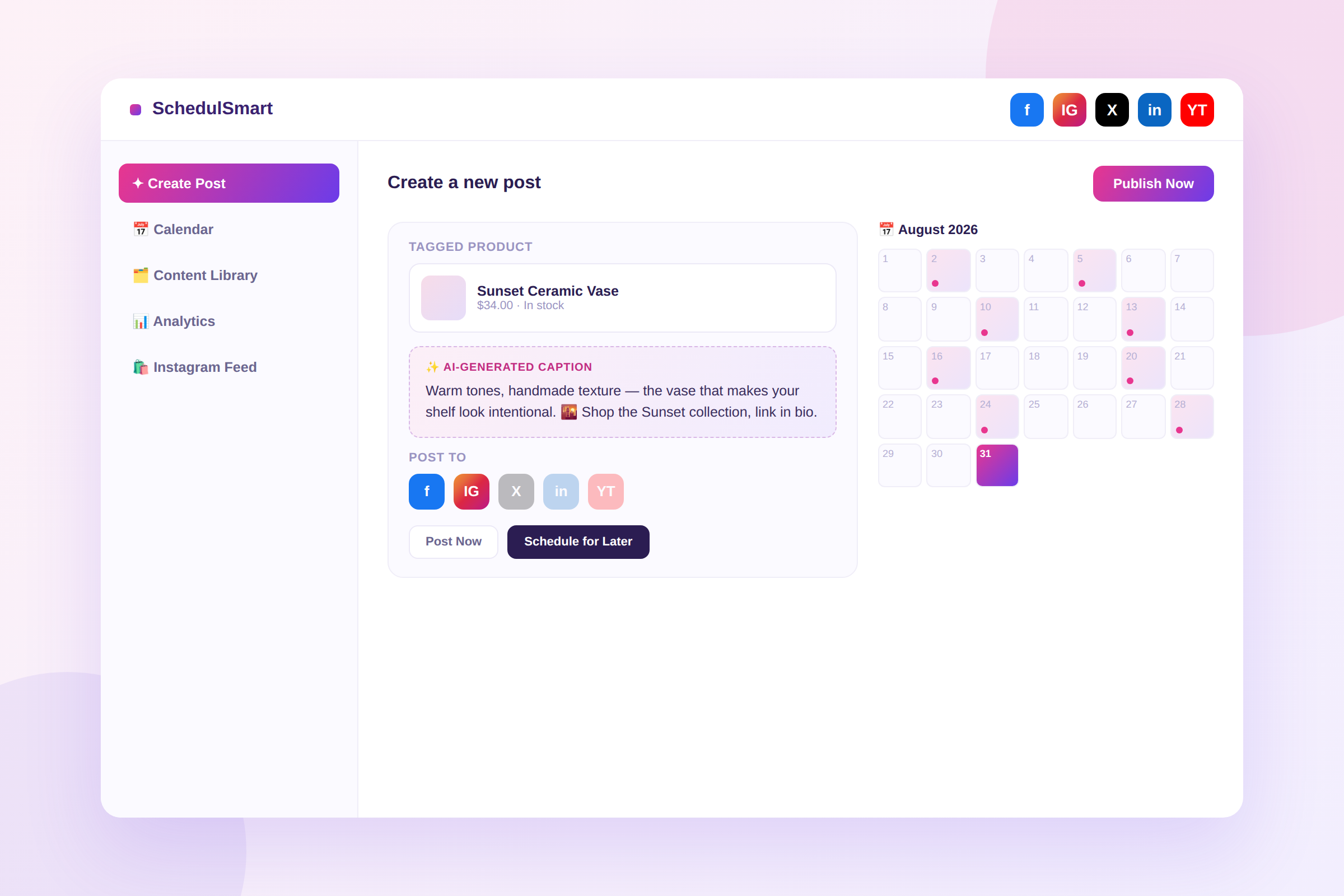
This is the core of SchedulSmart: connect Instagram, Facebook, X, LinkedIn, and YouTube, and manage all five from a single screen. Instead of logging into each platform separately, you build a post once and choose which platforms it goes to.
A visual month calendar shows every scheduled post at a glance, so gaps in your posting rhythm are obvious before they become a two-week silence on your feed. Posts can go out instantly or queue for a specific date and time — set once, and SchedulSmart auto-publishes on schedule without you needing to be online when it fires.
The LinkedIn and YouTube support is worth calling out specifically: most Shopify-focused social apps stop at Instagram and Facebook. If you sell B2B, wholesale, or publish product videos, having those two platforms in the same dashboard as your Instagram feed removes an entire second tool from your stack.
Feature 2: Create Engaging Content With Captions, Media and Product Tagging in One Place
Post creation is built around your actual catalog, not a blank text box. Pull a product directly into the composer, attach media, and tag the product so the post links straight back to it — turning a social post into a shoppable reference rather than just an announcement.
Keeping content organized matters as your library grows. SchedulSmart's content dashboard lets you filter and manage posts by platform, status, or schedule, so planning a week or a launch doesn't mean scrolling through everything you've ever posted.
Feature 3: AI-Powered Assistance to Generate Smarter, Faster Content
Writing captions is consistently the slowest part of posting — and the part most likely to make a merchant skip a day. SchedulSmart's AI reads your product data and drafts a caption for you: pick a tone (Friendly, Playful, Luxury, Inspirational, or Bold, depending on your plan), set a target length, and generate multiple variations to choose from.
You're not handing your brand voice to a black box — you review and edit before anything publishes, the same way you would a caption you wrote yourself. What changes is the time cost: instead of staring at a blank composer, you're picking the best of three drafts and hitting schedule.
Feature 4: Track Performance With Real-Time Analytics
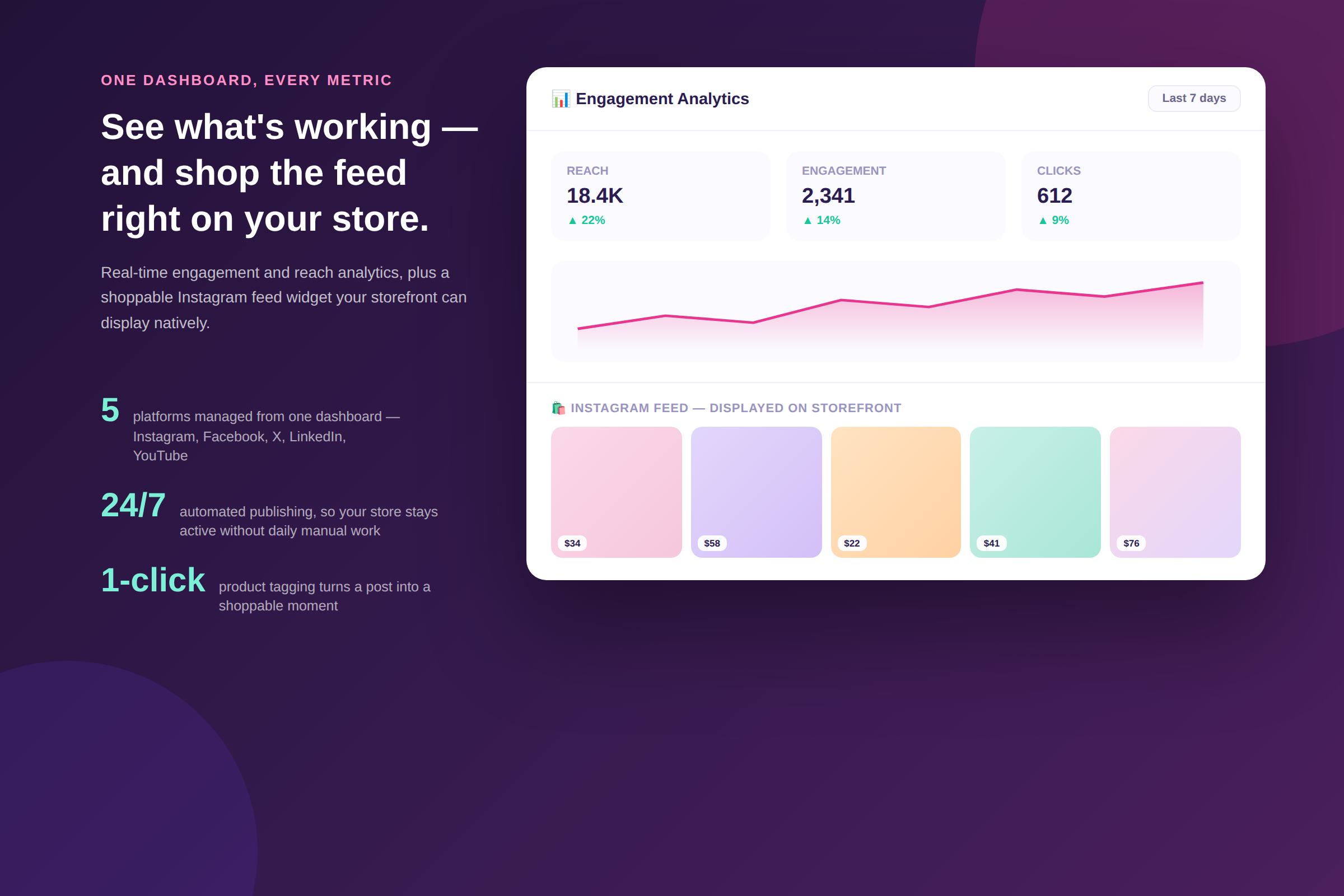
Posting without measuring is guessing. SchedulSmart's analytics dashboard tracks likes, comments, shares, reach, and engagement rate across your connected platforms, with a rolling engagement trend and a view of your top-performing posts.
This closes the loop that most merchants never get to: not just "did I post today," but "did that post actually work, and should I make more like it." Over a few weeks, the data starts pointing at what your audience actually responds to — a specific product category, a certain caption tone, a particular time of day — instead of you guessing at it post by post.
Feature 5: Display Instagram Feeds on Your Store With Custom Layouts
The last piece closes the loop between social and storefront. SchedulSmart includes a theme app extension that displays your Instagram feed directly on your store — grid or carousel layout, customizable spacing and aspect ratio — so a visitor sees real, current social content without leaving your site.
Combined with product tagging, this turns passive browsing into product discovery: a shopper scrolling your homepage feed sees a post they like, and the tagged product is right there. It's the same social proof effect as a reviews widget, built from content you were already creating instead of a separate app and a separate subscription.
How the Five Features Work Together
Individually, each feature saves time. Together, they form a loop: you create a post with a tagged product and an AI-drafted caption → it publishes automatically across the platforms where your audience actually is → analytics tell you which posts perform → the Instagram feed widget puts your best-performing content back on your storefront, right where the next purchase decision happens. Each pass through that loop makes the next one a little more informed.
Pricing
| Plan | Price | What's Included |
|---|---|---|
| Free | $0/month | 10 posts/month, 30 AI credits, manage 5 platforms, instant product posting, basic analytics |
| Basic | $9.99/month ($99.99/year) | 50 posts/month, 200 AI credits, scheduled posts, custom feed layouts, product tagging |
| Pro | $19.99/month ($199.99/year) | 100 posts/month, 500 AI credits, all Basic features |
Pricing verified on the Shopify App Store listing — check the listing before you buy, as plans can change.
Getting Started
- Install SchedulSmart – AI Auto Post from the Shopify App Store.
- Connect your platforms — Instagram, Facebook, X, LinkedIn, and/or YouTube — from the dashboard.
- Create your first post, pull in a product, and try the AI caption generator.
- Add the Instagram feed block to your storefront via the theme editor if you want it displayed on-site.
- Check analytics after a week or two to see which content is actually working.
FAQ
Does the AI publish captions automatically, or do I review them first?
You review first. The AI generates caption drafts and variations; you pick, edit, and approve before anything goes out, so the final voice is still yours.
How many social platforms can I connect?
Five: Instagram, Facebook, X, LinkedIn, and YouTube, all managed from the same dashboard.
Is the Instagram feed widget a separate app or cost?
It's included as a theme app extension across all plans (with more layout customization on paid tiers), so you're not paying for a separate feed app on top of your scheduler.
What does the free plan include?
10 posts per month, 30 AI credits, all 5 platforms, instant product posting, and basic analytics — enough to test whether automated posting changes your engagement before committing to a paid plan.
Is SchedulSmart a newer app on the Shopify App Store?
Yes — it's a newer addition to AppifyCommerce's app suite, so it doesn't yet carry the long review history some older apps have. If you're evaluating it, the free plan is the fastest way to see the workflow firsthand before committing.
The Bottom Line
Social media doesn't fail Shopify stores because merchants don't understand its value — it fails because staying consistent across five platforms, with decent captions and some idea of what's working, takes more hours than most stores have. SchedulSmart's bet is that automating the mechanical parts — publishing, caption drafting, cross-platform management — frees up the time to actually think about strategy, while the Instagram feed widget makes sure that content does double duty by working on your storefront too.
Ready to turn your social content into a revenue channel?
Install SchedulSmart Free →