What is the AI Auto-Reply feature and how can I configure it?
The AI Auto-Reply feature helps merchants respond to customer reviews automatically using AI-generated replies. You can choose how AI handles replies, select a preferred tone, and add custom instructions to match your store's communication style.
How to configure AI Auto-Reply:
- Open AC – Reviews & Ratings in your Shopify admin.
- Go to Settings.
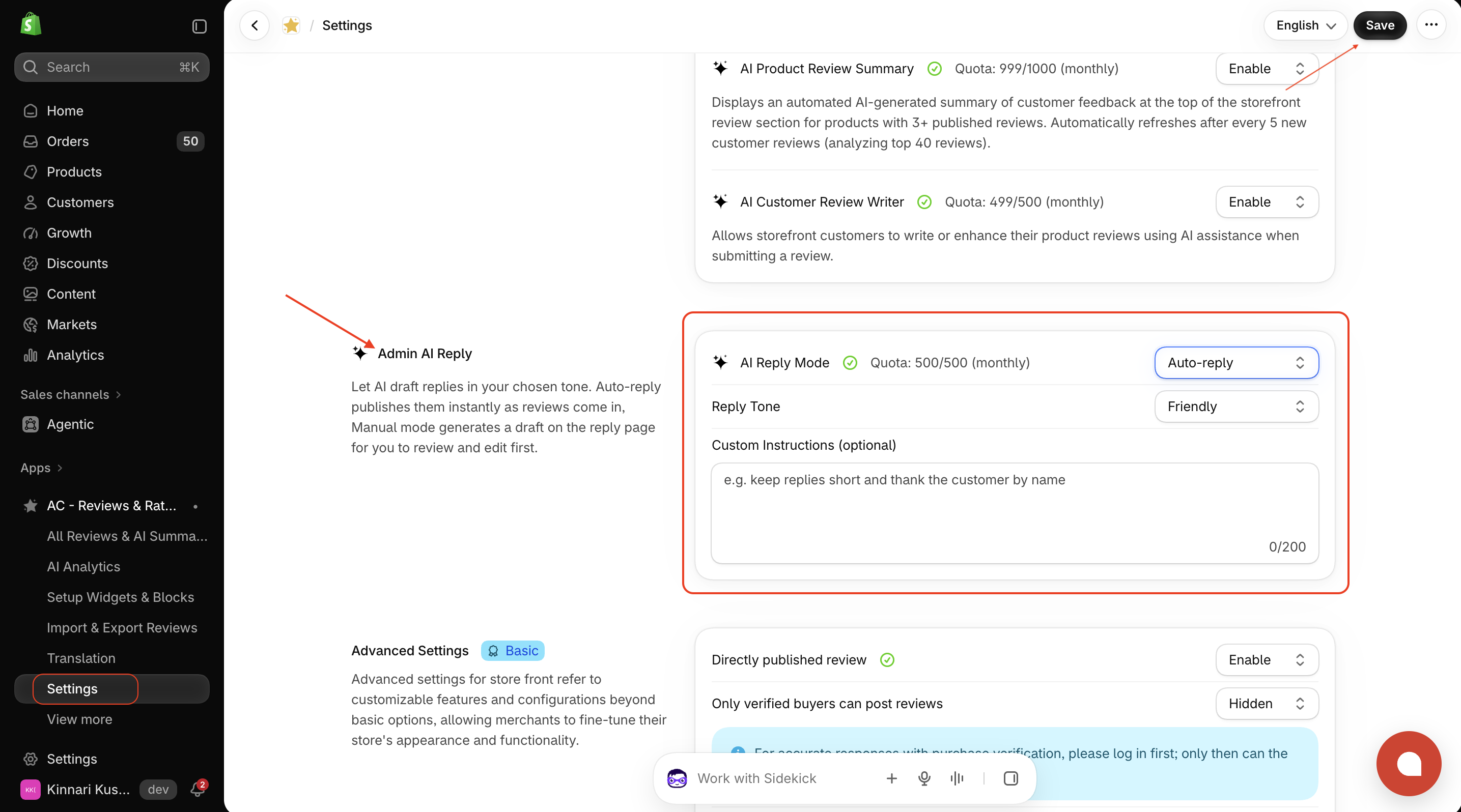
- Find the Admin AI Reply section.
- Under AI Reply Mode, choose one of the following options:
- Off: Disables AI-generated replies.
- Auto-reply: AI automatically generates and publishes replies as new reviews come in.
- Manual (Generate button): AI generates a draft reply on the review reply page. You can review and edit it before publishing.
- Under Reply Tone, select your preferred response style:
- Friendly: Warm and approachable replies.
- Formal: Professional and business-like replies.
- Apologetic: Considerate replies for addressing customer concerns.
- Concise: Short and straightforward replies.
-
(Optional) Enter your preferences in the Custom Instructions field. You can add instructions such as "Keep replies short and thank the customer by name." The maximum length is 200 characters.
-
Click Save to apply your settings.
How does AI Auto-Reply work?
- Auto-reply mode: AI automatically generates and publishes replies when new reviews arrive.
- Manual mode: AI generates a suggested reply that you can review, edit, and publish yourself.
- Reply Tone: Controls the writing style of AI-generated replies.
- Custom Instructions: Helps AI follow your preferred response guidelines.
Note: The AI Reply feature has a monthly usage quota of 500 replies. You can check the remaining quota next to the AI Reply Mode setting.
Get Review & Rating App from here for your shopify store Review and Rating App