How do I customize the review form fields?
You can choose which fields customers see on the review form and whether each one is required.
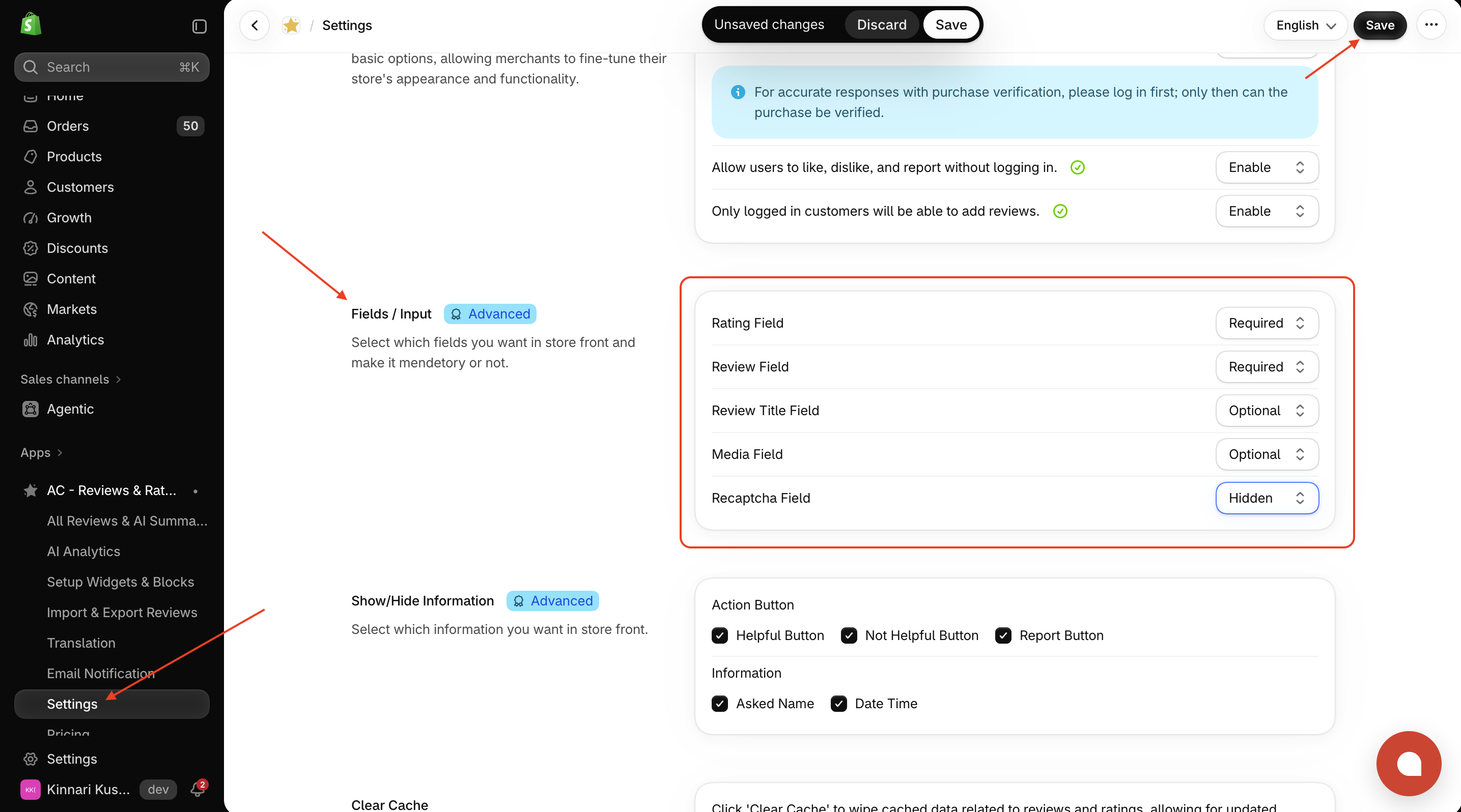
- Open the AC - Reviews & Ratings app and go to Settings.
- Find the Fields / Input section.
- Choose which fields to show on your storefront and whether each one is required:
- Rating Field – the star rating
- Review Title Field – a short title for the review
- Review Field – the main review text
- Media Field – lets customers add photos to their review
- Recaptcha Field – blocks spam reviews
- Click Save.
Tip: Keep the reCAPTCHA field turned on to protect your store from spam reviews.
Note: This feature is available on the Advanced plan.
Get Review & Rating App from here for your shopify store Review and Rating App