How can I display all customer reviews on a single page?
You can display all customer reviews on a dedicated Shopify page by following these steps:
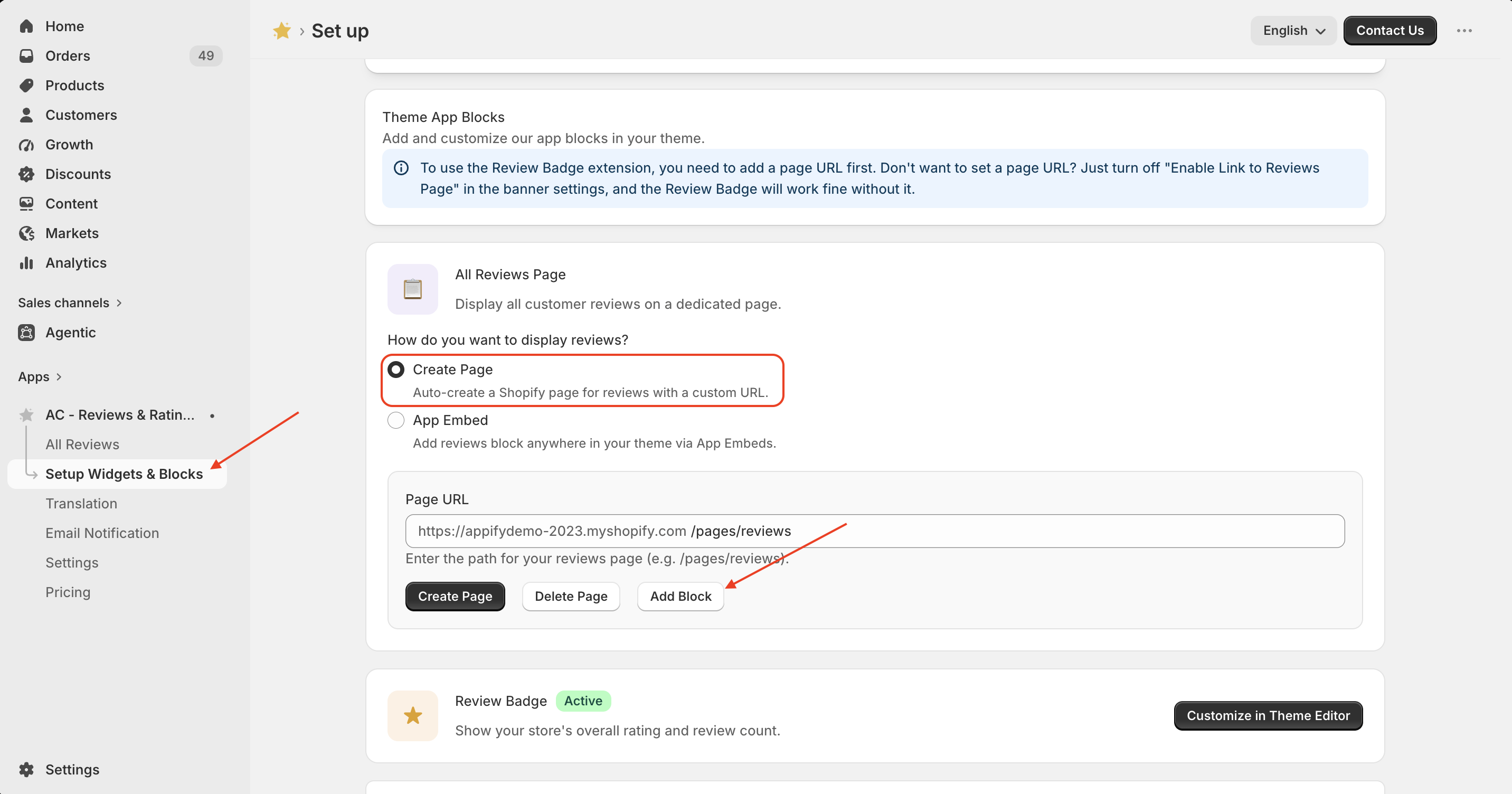
- Go to Set Up Widgets & Blocks from the app menu.
- In the All Reviews Page section, select Create Page.
- Enter your preferred page URL (or keep the default URL).
- Click Create Page to generate the reviews page.
- Click Add Block to add the All Reviews block to your Shopify theme.
- Save the changes in the Shopify Theme Editor.
Your customers can now view all published reviews on a single dedicated reviews page.
Get Review & Rating App from here for your shopify store Review and Rating App