How do I add and customize the Review Badge?
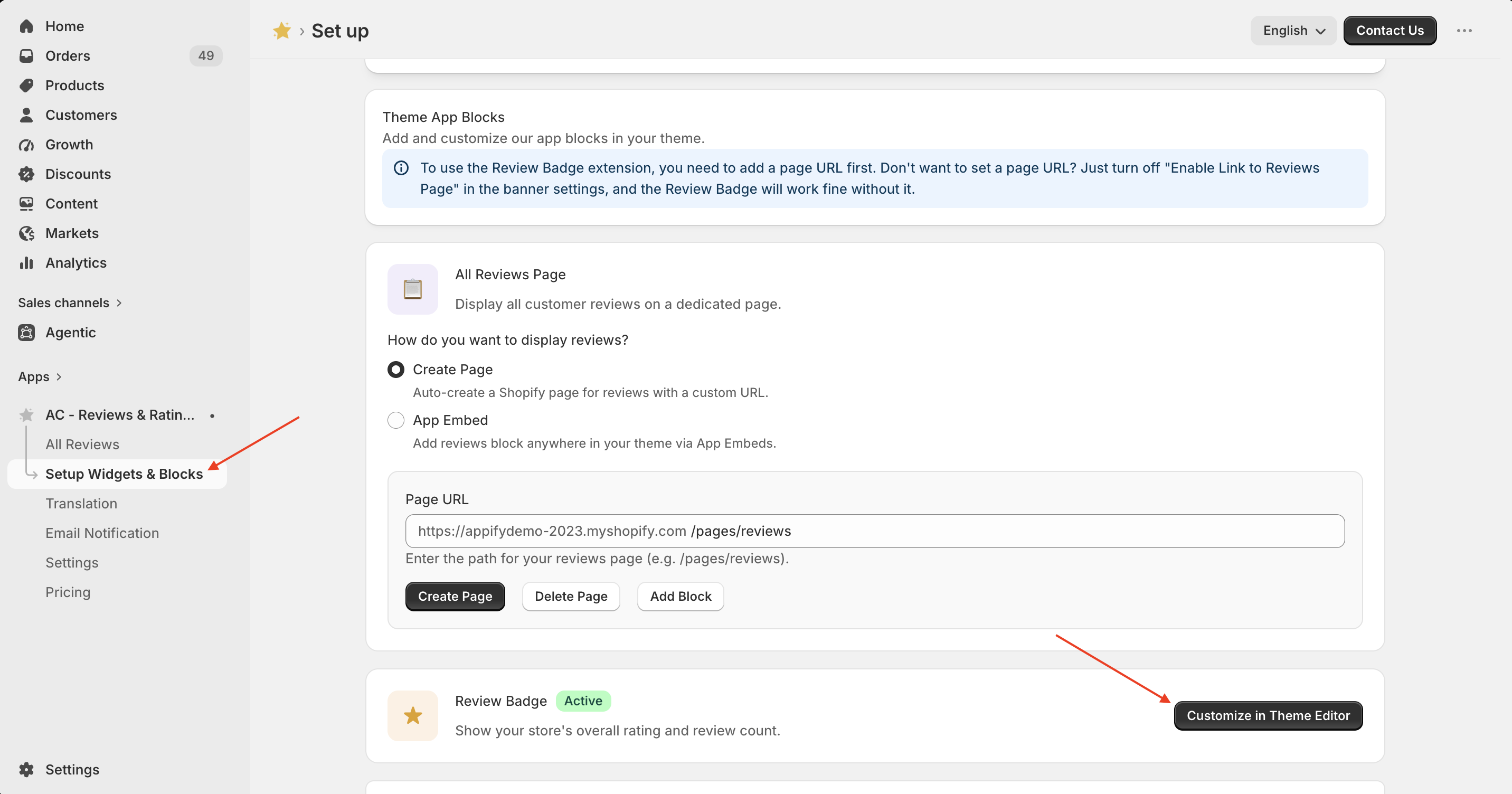
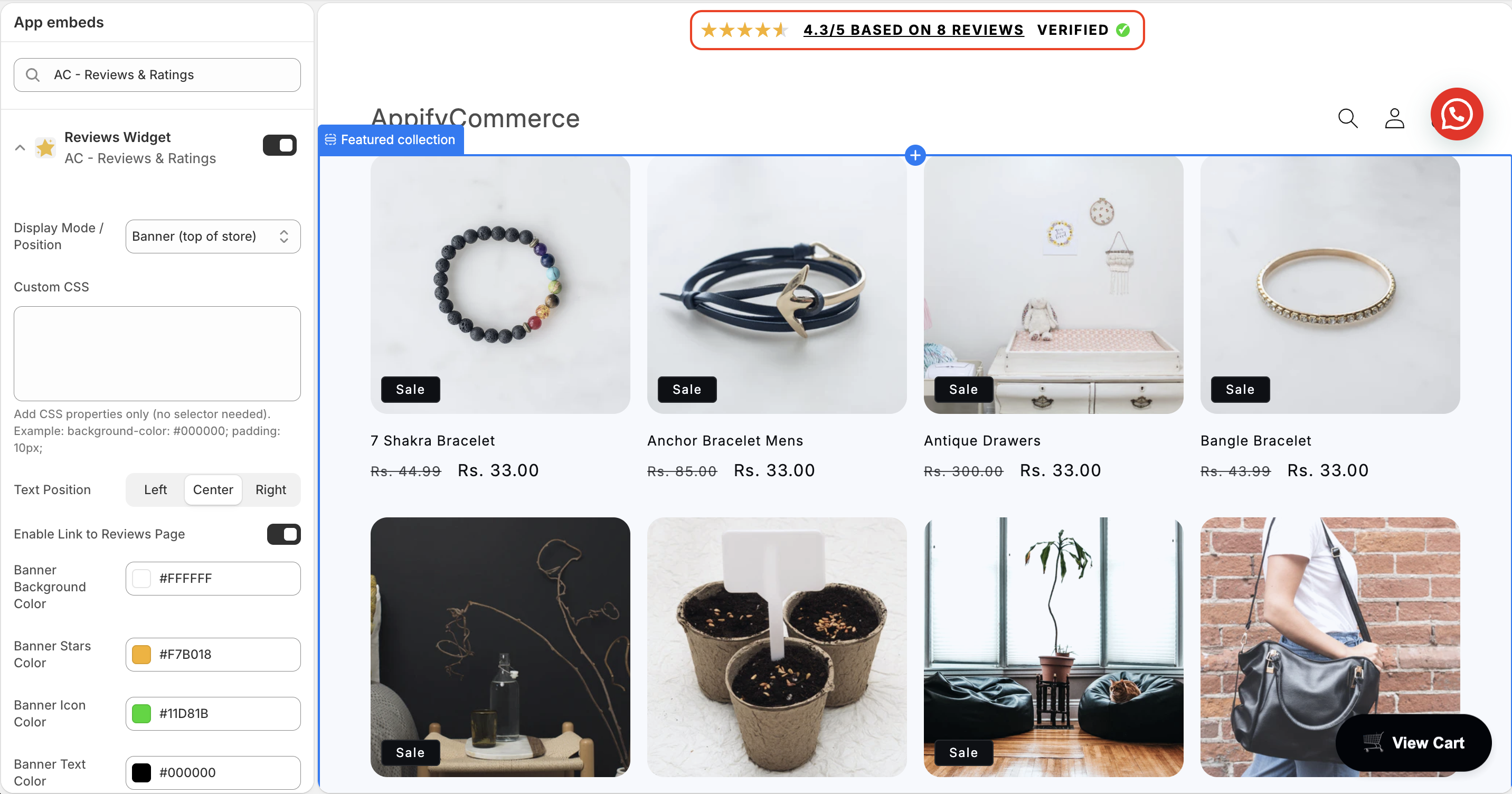
Go to Set Up Widgets & Blocks and scroll to the Review Badge section. Click Customize in Theme Editor, enable the Reviews Widget, choose the display position, customize the colors and text alignment, then save your changes.
Your review badge will appear on your storefront with your store's rating and review count.
Get Review & Rating App from here for your shopify store Review and Rating App