How can I enable the AI Customer Review Writer feature?
The AI Customer Review Writer feature allows customers to write or improve their product reviews using AI while submitting a review on your storefront. It helps customers express their feedback more easily and create clear, well-written reviews.
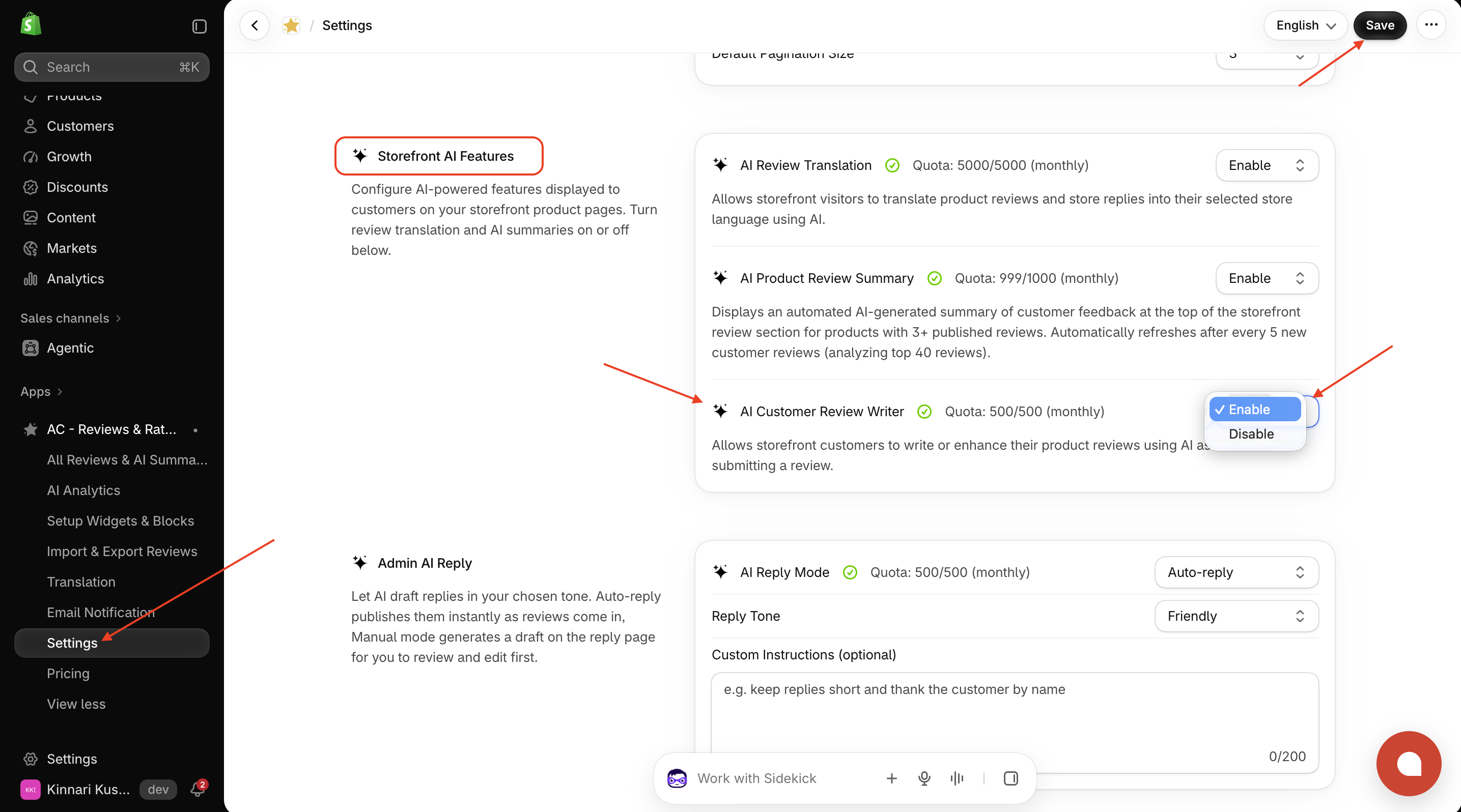
How to enable AI Customer Review Writer:
- Open AC – Reviews & Ratings in your Shopify admin.
- Go to Settings.
- Find the Storefront AI Features section.
- Locate AI Customer Review Writer.
- Select Enable from the dropdown menu.
- Click Save to apply your changes.
- Visit your storefront and open the product review form to check the feature.
Once enabled, customers can use AI to write or enhance their product reviews when submitting them.
Note: You can check the monthly usage quota displayed next to the AI Customer Review Writer setting.
Get Review & Rating App from here for your shopify store Review and Rating App