How can I import and export reviews using AC – Reviews & Ratings?
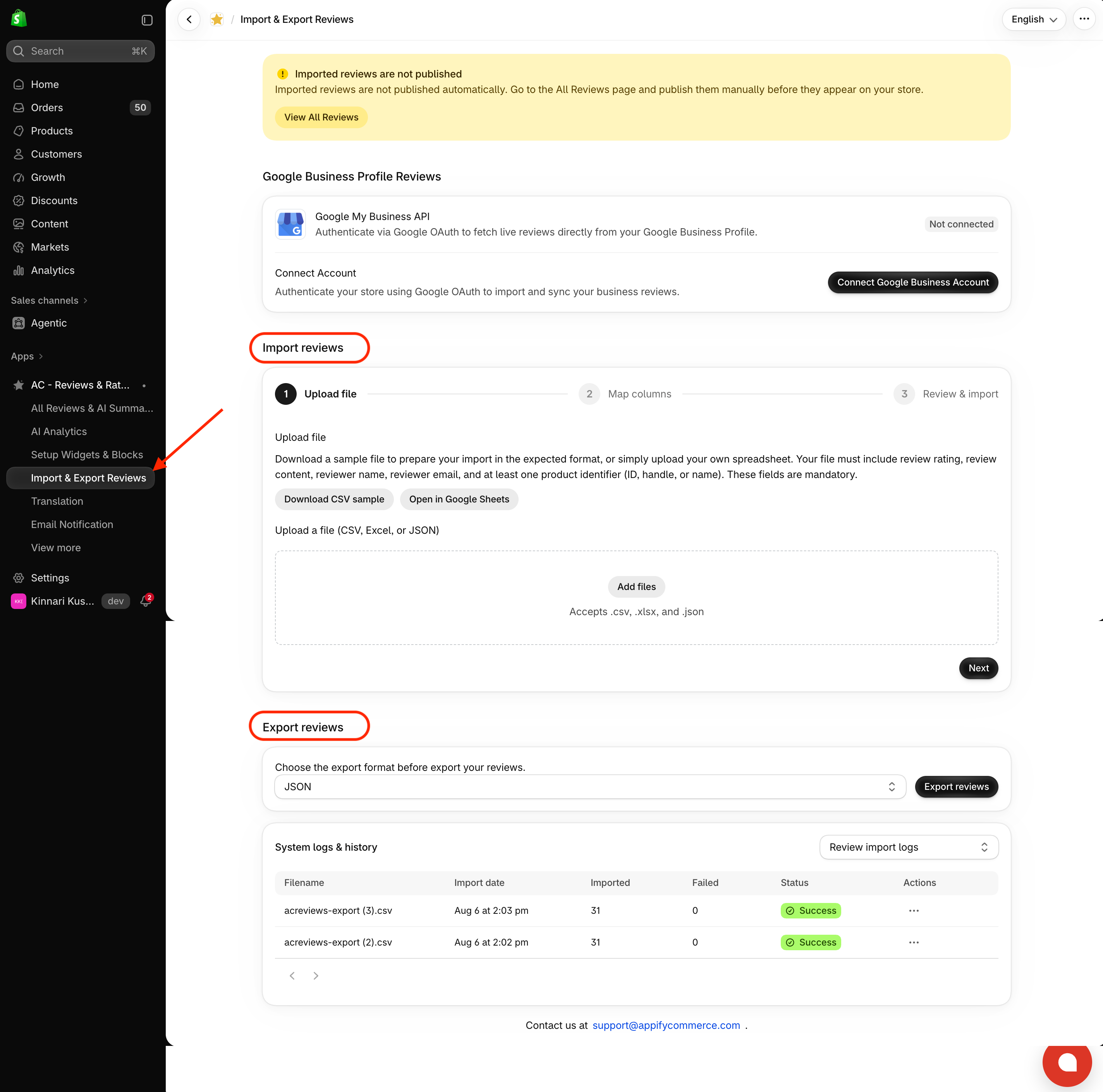
The Import & Export Reviews feature allows you to easily transfer customer reviews into or out of your store. You can import reviews using a CSV, Excel or JSON file, connect your Google Business Profile to sync business reviews and export your existing reviews in JSON format.
How to import reviews:
- Go to AC – Reviews & Ratings → Import & Export Reviews in your Shopify admin.
- Under Import Reviews, download the sample CSV file or open it in Google Sheets to prepare your data.
- Upload your review file in CSV, Excel (.xlsx) or JSON format.
- Click Next to proceed to the Map Columns step and match your file columns with the required review fields.
- Review the imported data and click Import to complete the process.
Required fields for importing reviews:
- Review rating
- Review content
- Reviewer name
- Reviewer email
- At least one product identifier (ID, handle, or name)
Important: Imported reviews are not published automatically. After importing, go to the All Reviews page and manually publish the reviews before they appear on your storefront.
How to export reviews:
- Go to Import & Export Reviews.
- Scroll down to the Export Reviews section.
- Choose the available export format (JSON) from the dropdown.
- Click Export Reviews to download your review data.
Google Business Profile Reviews:
You can also connect your Google Business Profile using the Connect Google Business Account option. Authenticate your account through Google OAuth to import and sync your business reviews.
Import history: The System Logs & History section lets you check previous import activities, including the filename, import date, number of imported reviews, failed records and import status.
Get Review & Rating App from here for your shopify store Review and Rating App