How do I approve and answer customer questions?
Every question a shopper submits is held for review. Nothing appears on your storefront until you approve it, so you always decide what customers see.
Find your questions
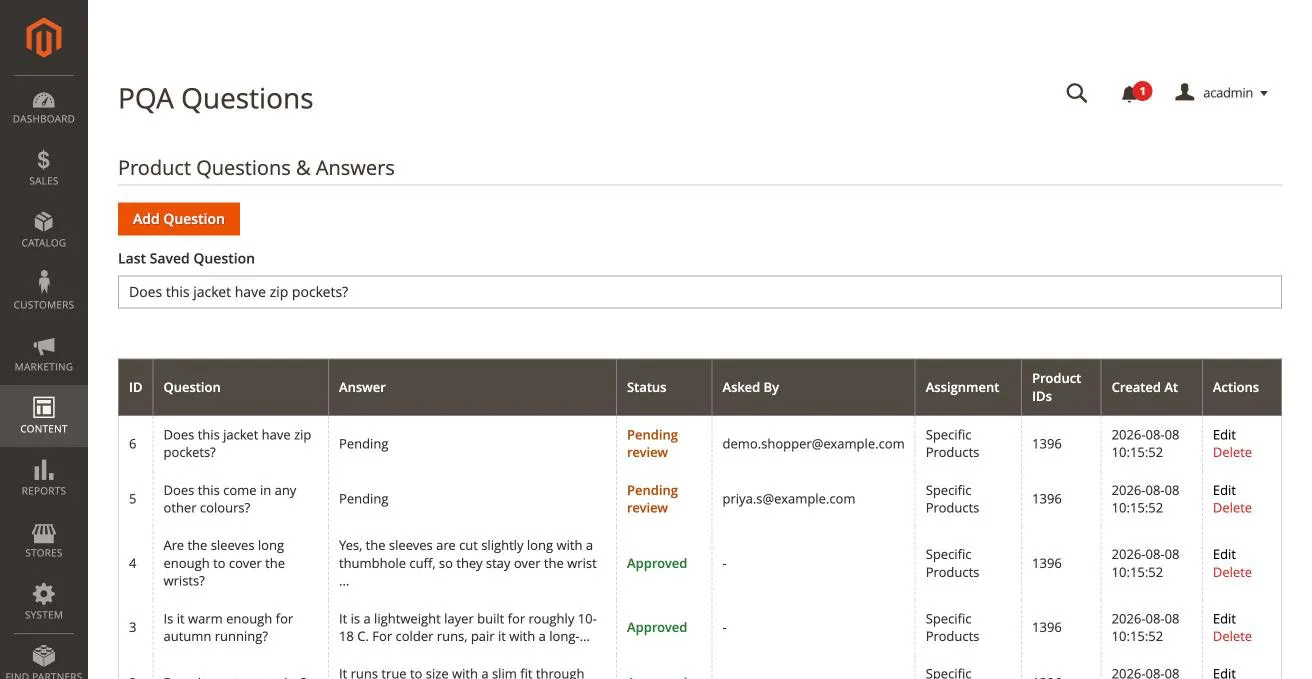
Go to Content → PQA Questions in the Magento admin.
Questions waiting for you sort to the top of the grid and are marked Pending review in orange. Ones already live are marked Approved in green. The Asked By column shows the shopper's email address when they left one.
Answer and publish a question
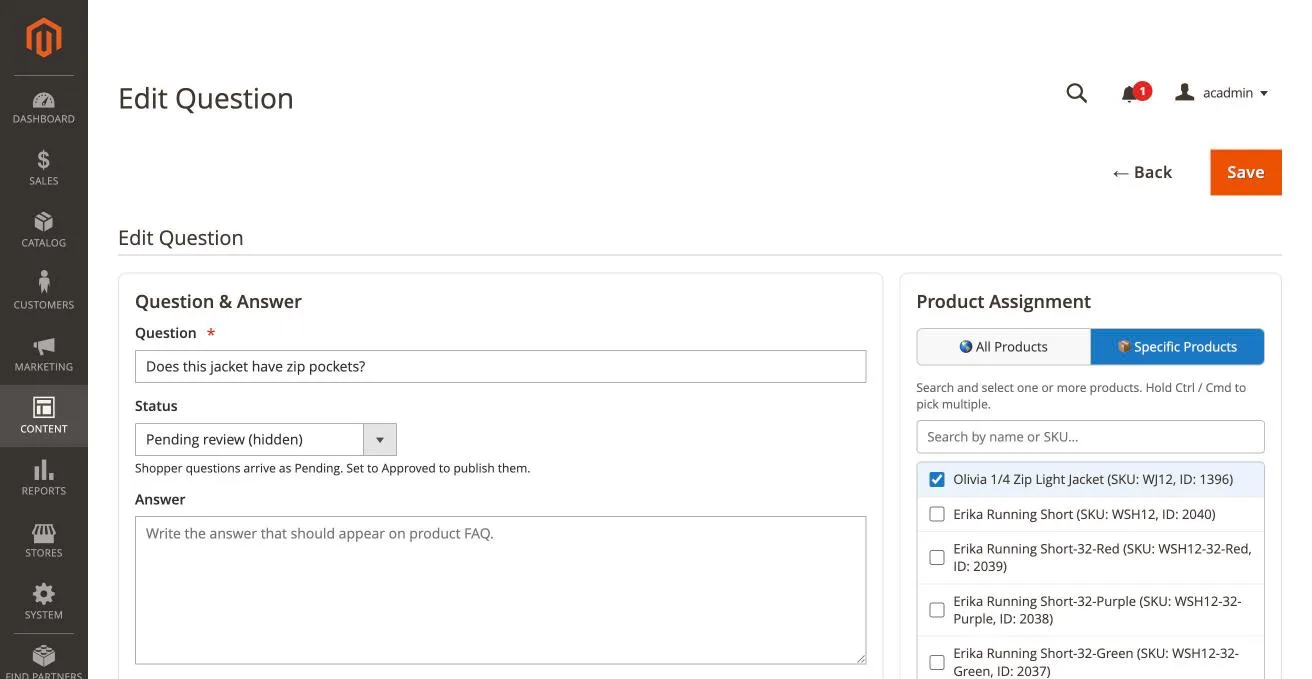
- Click Edit on a question marked Pending review.
- Type your reply in the Answer field.
- Set Status to Approved (visible on storefront).
- Click Save.
The product page updates straight away — you do not need to flush the cache.
Reject a question
To keep a question hidden, simply leave its status as Pending review. It stays in the grid for reference but never appears on the storefront. To remove it completely, click Delete.
Work the queue regularly. Questions with an email address in the Asked By column are worth answering first — those shoppers get notified the moment you publish your reply, provided you have turned on email notifications.
You can install Product Question & Answer for Magento from here.
Contact Us at support@appifycommerce.com