From where can I install Product Question & Answer for Magento?
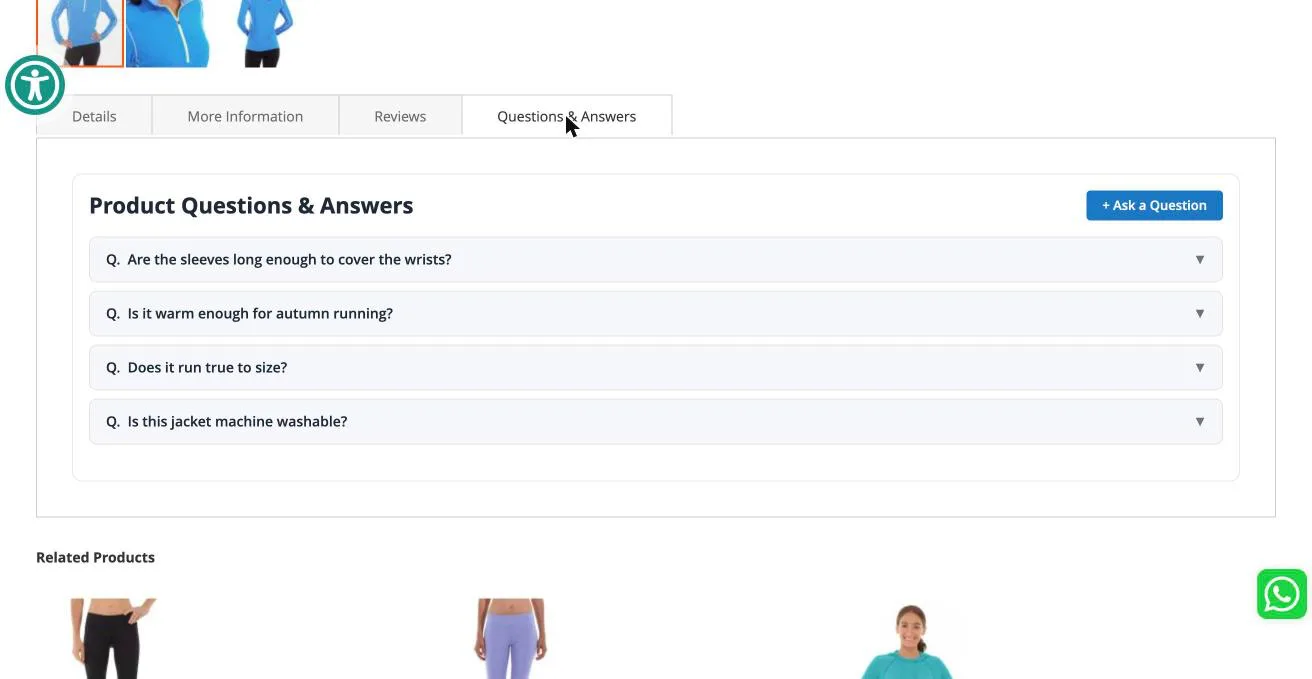
Product Question & Answer adds a moderated Q&A section to your Magento product pages. Shoppers ask questions on the product page, you answer them from the admin, and approved questions appear on your storefront.
You can install Product Question & Answer for Magento from here.
Install with Composer
From your Magento root:
composer require appifycommerce/pqa
php bin/magento module:enable AppifyCommerce_Pqa
php bin/magento setup:upgrade
php bin/magento cache:flush
Install manually
Unzip the package so the module sits at exactly this path:
<magento-root>/app/code/AppifyCommerce/Pqa/
PqaLinux servers are case-sensitive. A folder named PQA or pqa will register the
module, but every class inside it fails to load and your store will show
Class "AppifyCommerce\Pqa\..." not found. Extract the archive without renaming
anything.
If you are upgrading from 1.0.7 or earlier, delete the old folder first:
rm -rf app/code/AppifyCommerce/PQA
Leaving both folders in place registers the module twice and stops Magento with
LogicException: component already registered.
Then enable it:
php bin/magento module:enable AppifyCommerce_Pqa
php bin/magento setup:upgrade
php bin/magento cache:flush
If your store runs in production mode, also run php bin/magento setup:di:compile and php bin/magento setup:static-content:deploy -f.
Check that it worked
php bin/magento module:status AppifyCommerce_Pqa
This should report Module is enabled. Then open any product page on your storefront — a Questions & Answers section appears in the product details area, next to Details and Reviews.
Contact Us at support@appifycommerce.com