How to Connect Your WhatsApp Account?
Follow the steps below to connect your WhatsApp account:
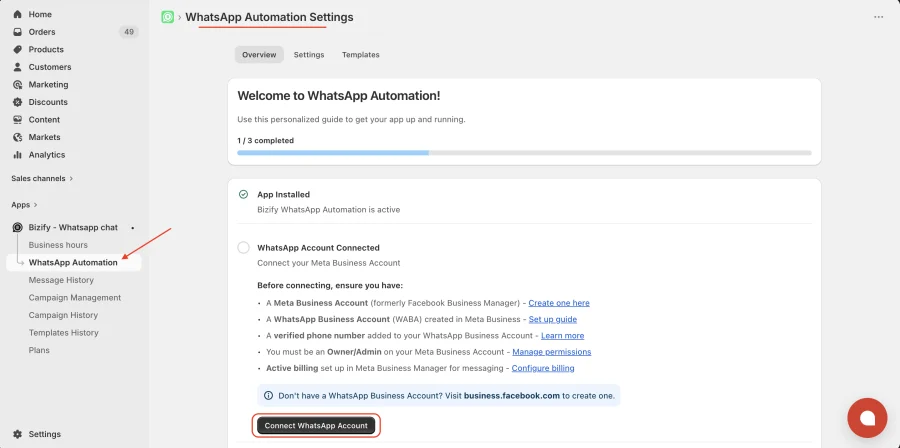
- Install and open the Bizify – WhatsApp Chat App from your Shopify admin.
- In the left sidebar, click on “WhatsApp Automation”.
- Go to the Overview section.
- Click on the “Connect WhatsApp Account” button.
- Follow the on-screen instructions to complete the connection with your Meta (Facebook) Business account.
Note: Before connecting, make sure you have:
- A Meta Business Account.
- A WhatsApp Business Account (WABA) created in Meta Business.
- A phone number added to that WABA through WhatsApp Manager (Cloud API). A number that you use in the WhatsApp Business app on your phone will not work: Meta rejects template creation for it with error 2494160. Use a number that has never been on WhatsApp, or migrate it to the Cloud API first.
- Owner or Admin access on the Meta Business Account.
- A payment method (active billing) set up in Meta Business Manager for WhatsApp messaging.
You can install Bizify - Whatsapp chat in Shopify store from here.
info
Contact Us at support@appifycommerce.com