What is the AI Question Summary feature and how does it work?
The AI Question Summary feature uses AI to read and understand customer questions about a product.
It creates a short and simple summary of the questions so shoppers can quickly understand what other customers want to know about the product.
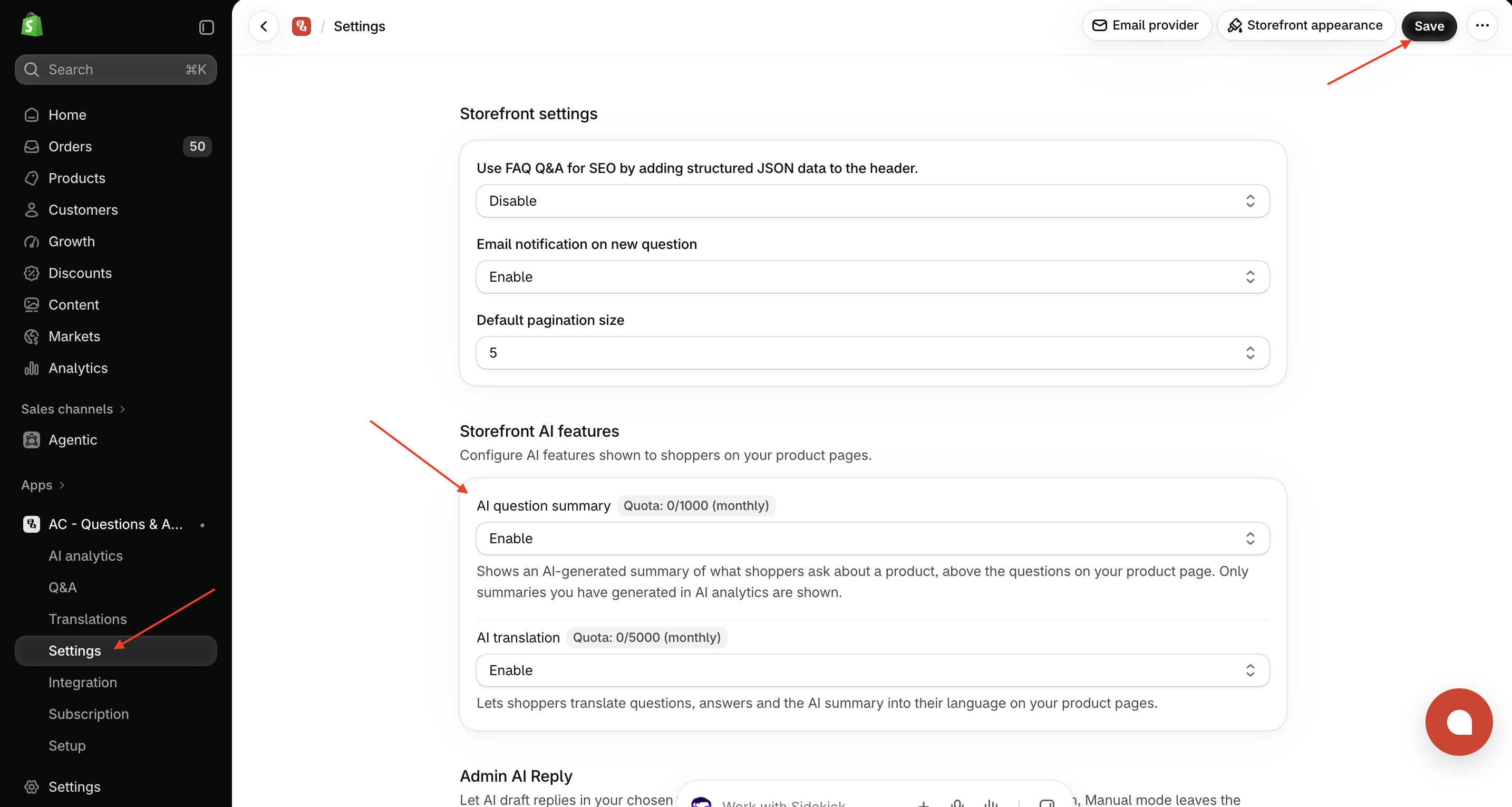
How to enable AI Question Summary
- Go to the app Settings → Find *Storefront AI Features section.
- Enable AI Question Summary.
- Click Save in the top-right corner.
How does it work?
- AI checks the questions submitted by customers for a product.
- It generates a short summary based on those questions.
- The summary is displayed above the questions on the product page.
- Shoppers can understand common questions without reading every question individually.
Get the app from here for your shopify store AC - Questions & Answers