What is the Clear Cache feature and how does it work?
The Clear Cache feature allows merchants to remove previously stored data from the PQA app.
Sometimes, recent changes made in the app may not appear immediately on the storefront because of cached information. Clearing the cache helps refresh the stored data and display the latest information.
How does it work?
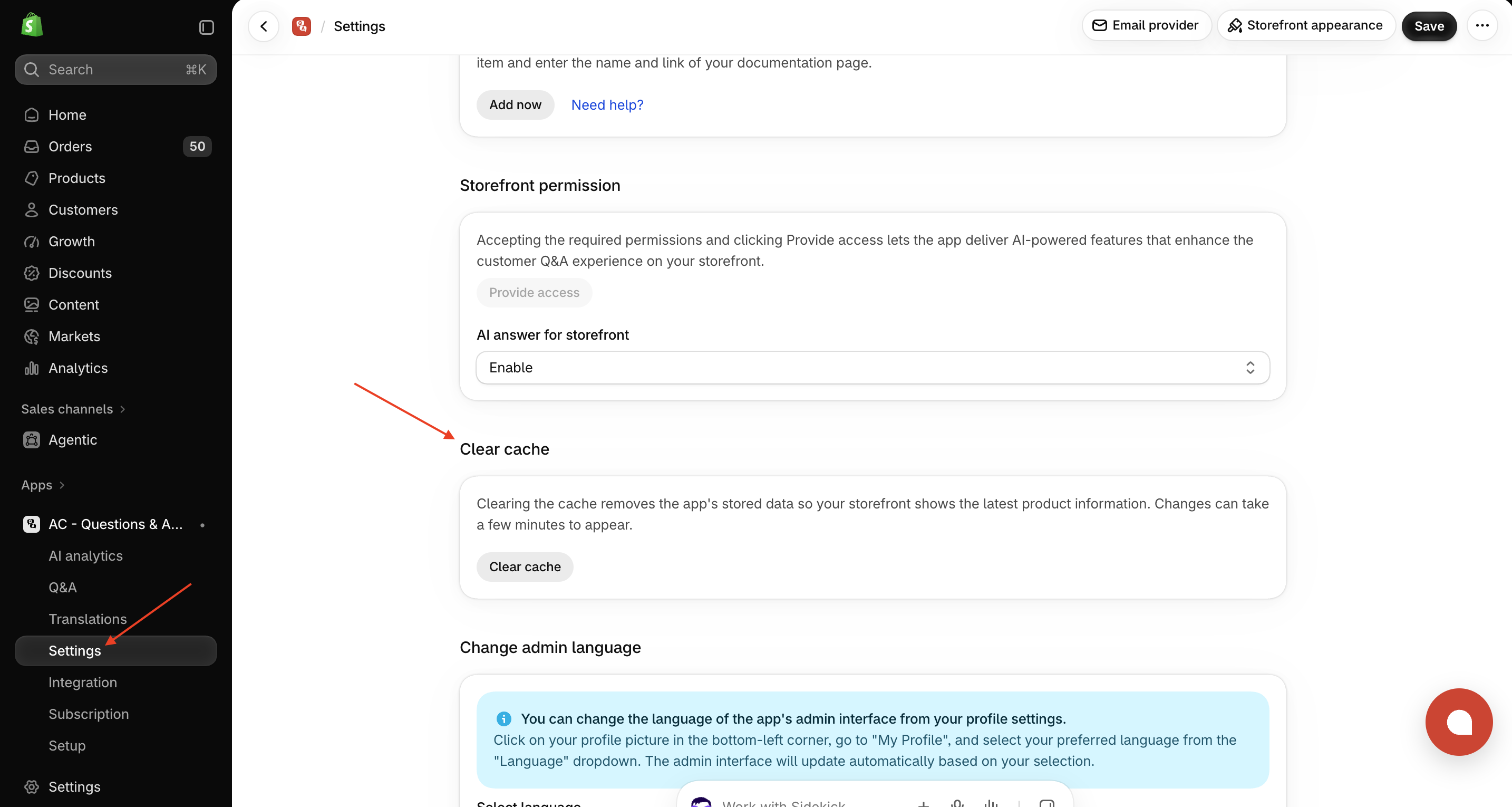
- Go to the Settings section of the app.
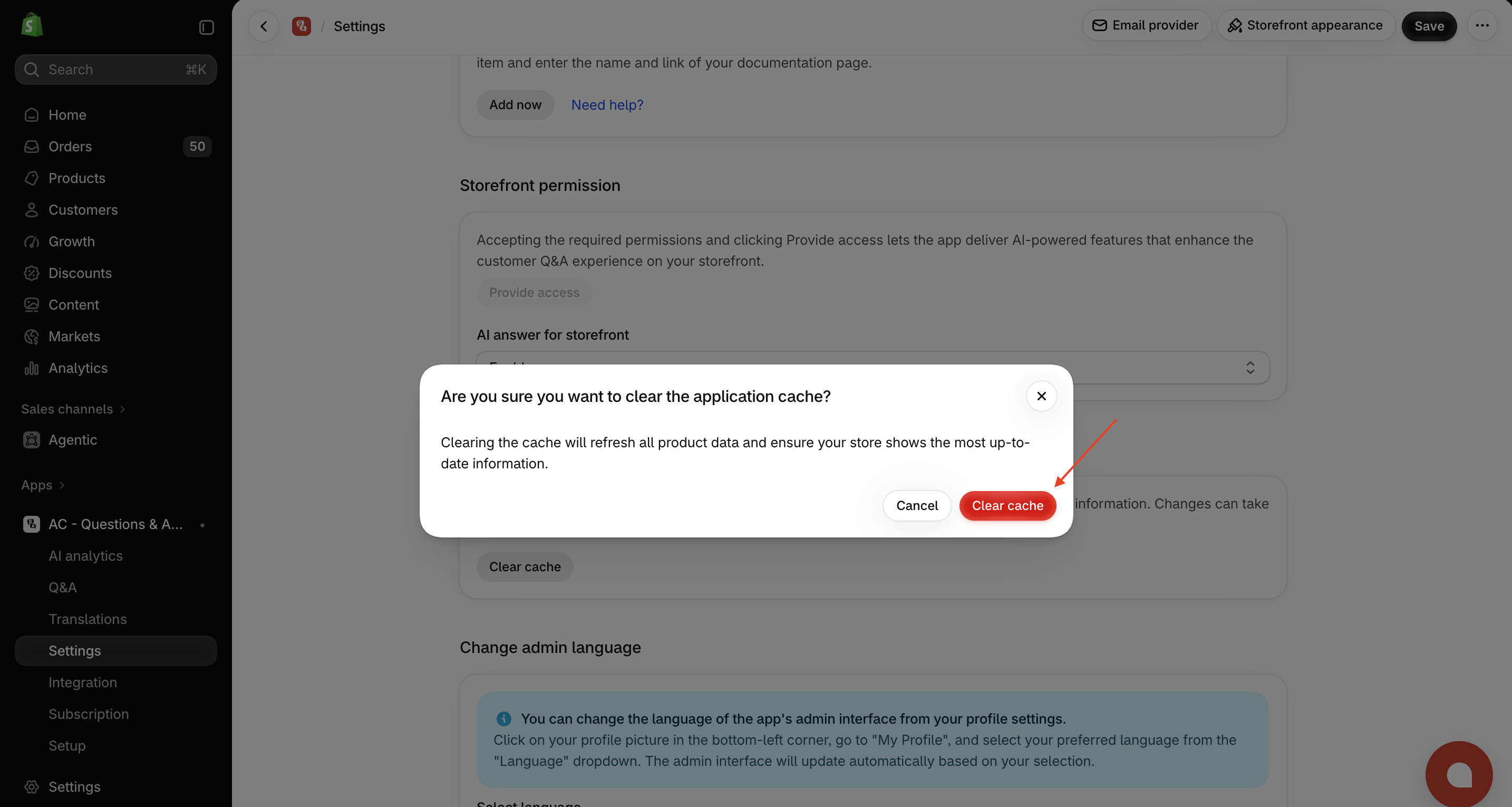
- Click the Clear Cache button.
- The storefront can then load the latest product and Q&A information.
- Some changes may take a few minutes to appear on the storefront.
Get the app from here for your shopify store AC - Questions & Answers