How do I customize the Questions & Answers widget on my storefront?
FYou can customize the appearance of the Questions & Answers widget by following these steps:
-
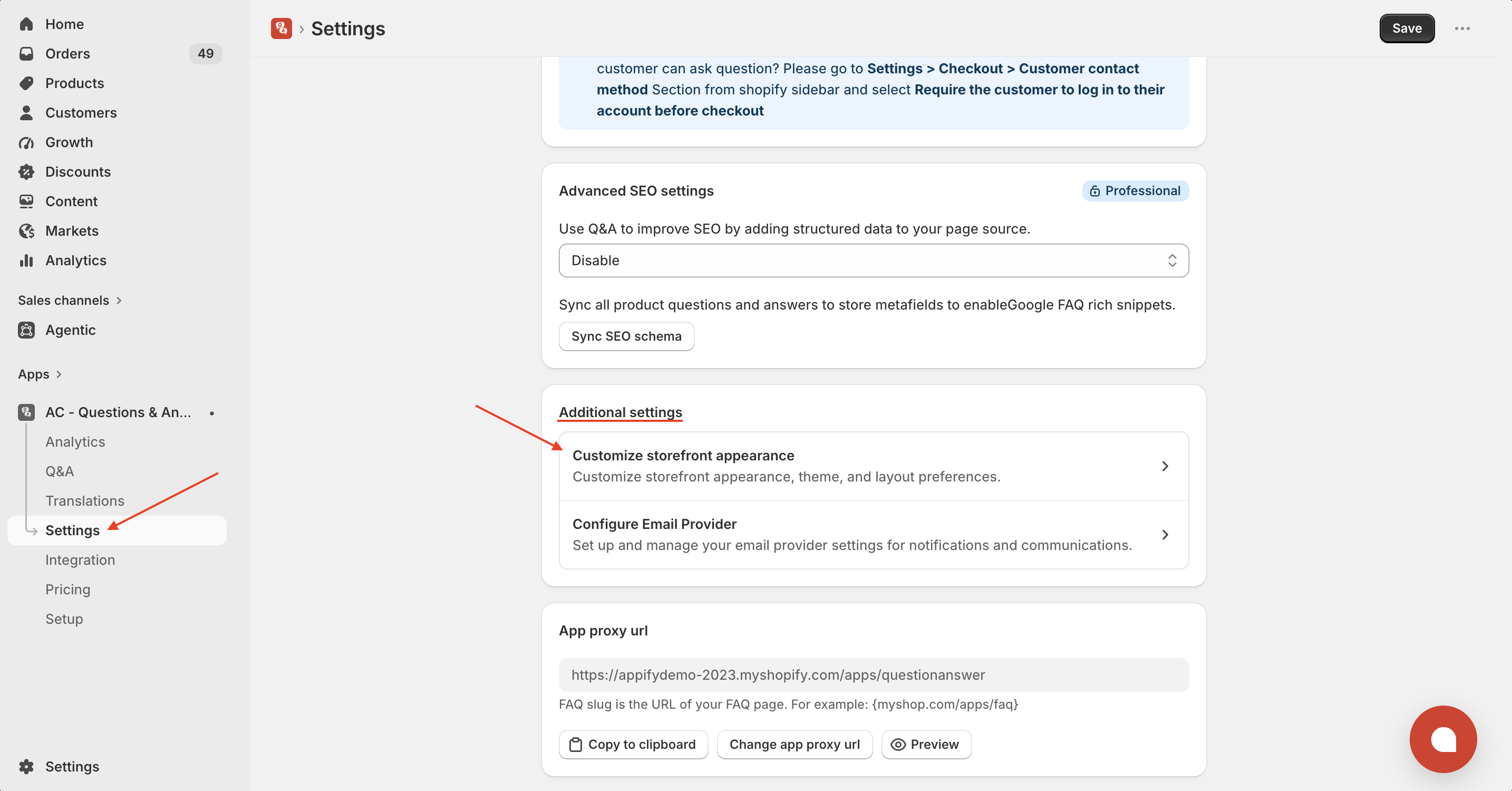
Open the Settings page in the app.
-
Under Additional Settings, click Customize Storefront Appearance.
-
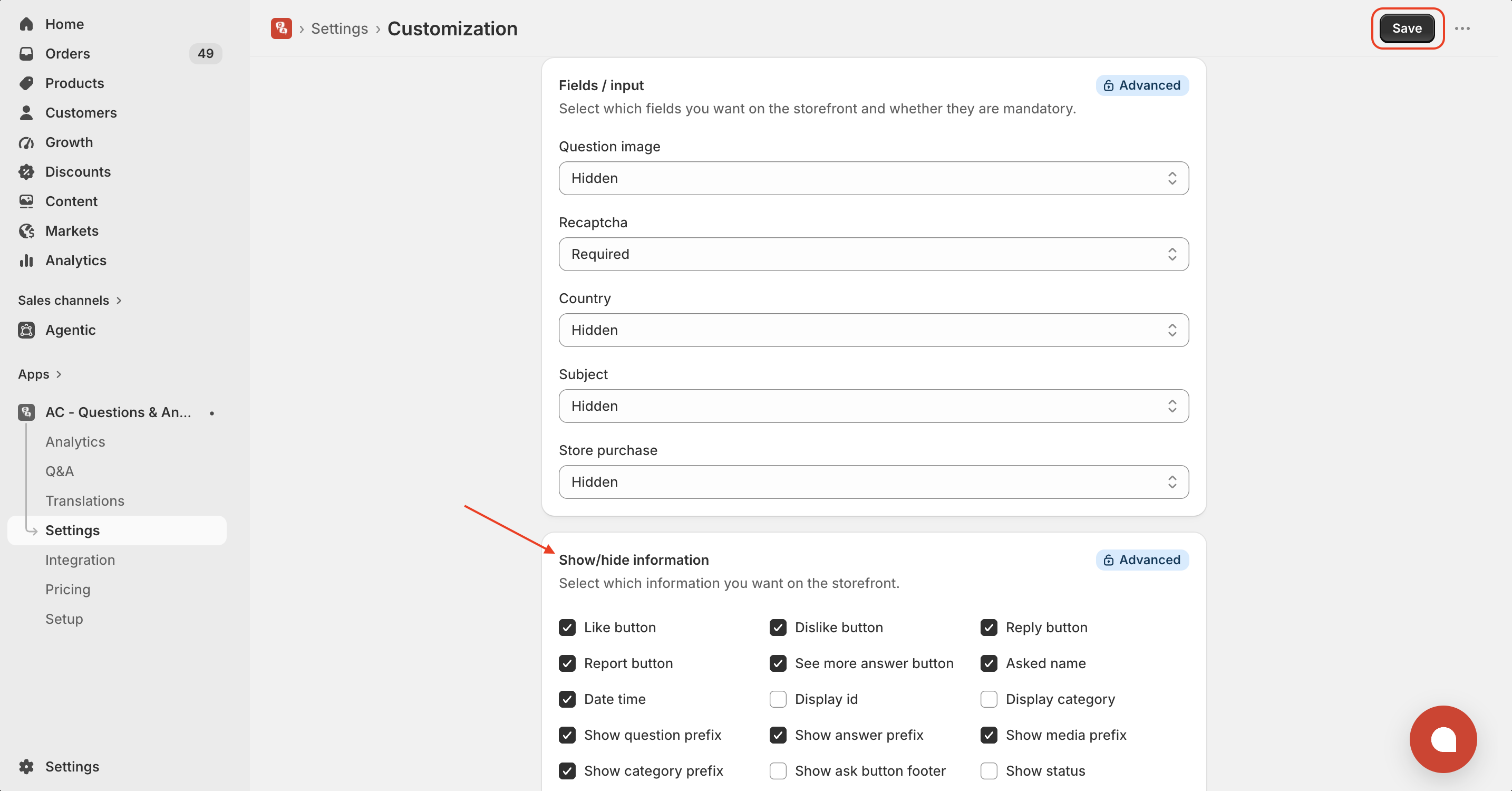
Configure the options based on your preferences: Fields / Input – Show, hide or require fields such as Question Image, reCAPTCHA, Country, Subject and Store Purchase. Show/Hide Information – Enable or disable storefront elements like:
- Like button
- Dislike button
- Reply button
- Report button
- Asked name
- Date & Time
- See More Answer button
- Display ID
- Display Category
- Question/Answer Prefix
- Media Prefix
- Status and more
Click Save to apply your changes.
Your storefront will immediately reflect the updated settings.
Tip: Hide unnecessary fields and information to keep your Q&A section clean and improve the customer experience.
Get the app from here for your shopify store AC - Questions & Answers