What is the AI Admin Reply feature and how does it work?
The AI Admin Reply feature helps merchants answer customer questions quickly using AI-generated responses. Merchants can choose how AI handles replies and customize responses according to their store's requirements.
How does it work?
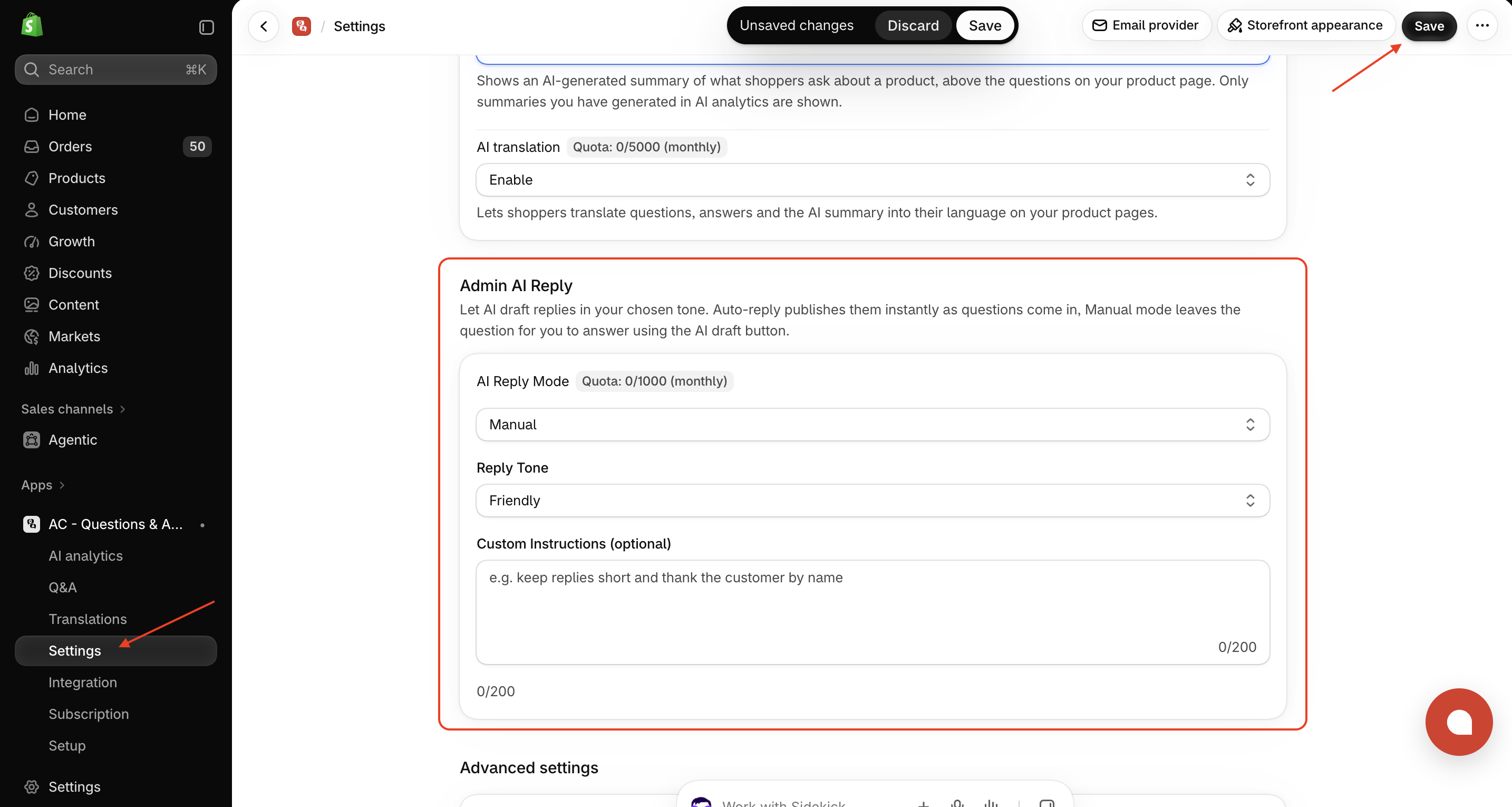
- Go to Settings → Open AI Admin Reply
- Select AI Reply Mode.
- Select Reply Tone.
- Add Custom Instructions (Optional).
- Save Settings.
- Check AI-Generated Replies.
Available Options:
- AI Reply Mode: Choose between Manual and Auto Reply modes.
- Manual Mode: AI generates a suggested answer that the admin can review and publish.
- Auto Reply Mode: AI automatically publishes answers when customers submit questions.
- Reply Tone: Select the preferred tone, such as Friendly, for AI-generated answers.
- Custom Instructions: Add specific instructions to guide AI when generating answers.
Get the app from here for your shopify store AC - Questions & Answers