What are Limit Rules and What Do They Control?
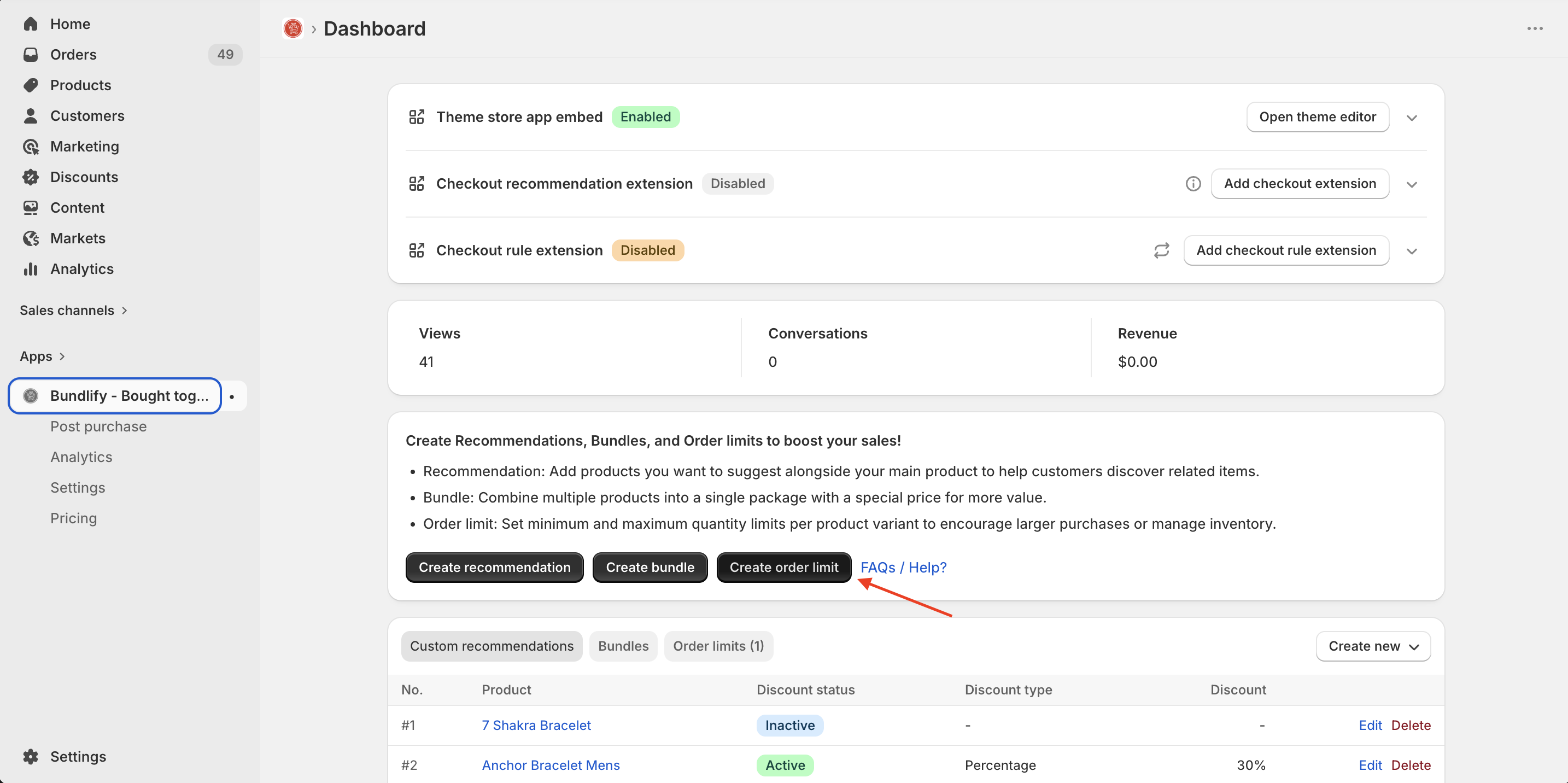
Limit rules help you manage how products are purchased by defining conditions such as:
- Minimum quantity per order
- Maximum quantity per order
- Restrictions based on specific products or collections
These rules ensure better inventory control, prevent bulk misuse and create a more balanced purchasing experience.
Configuration Options for Limit Rules
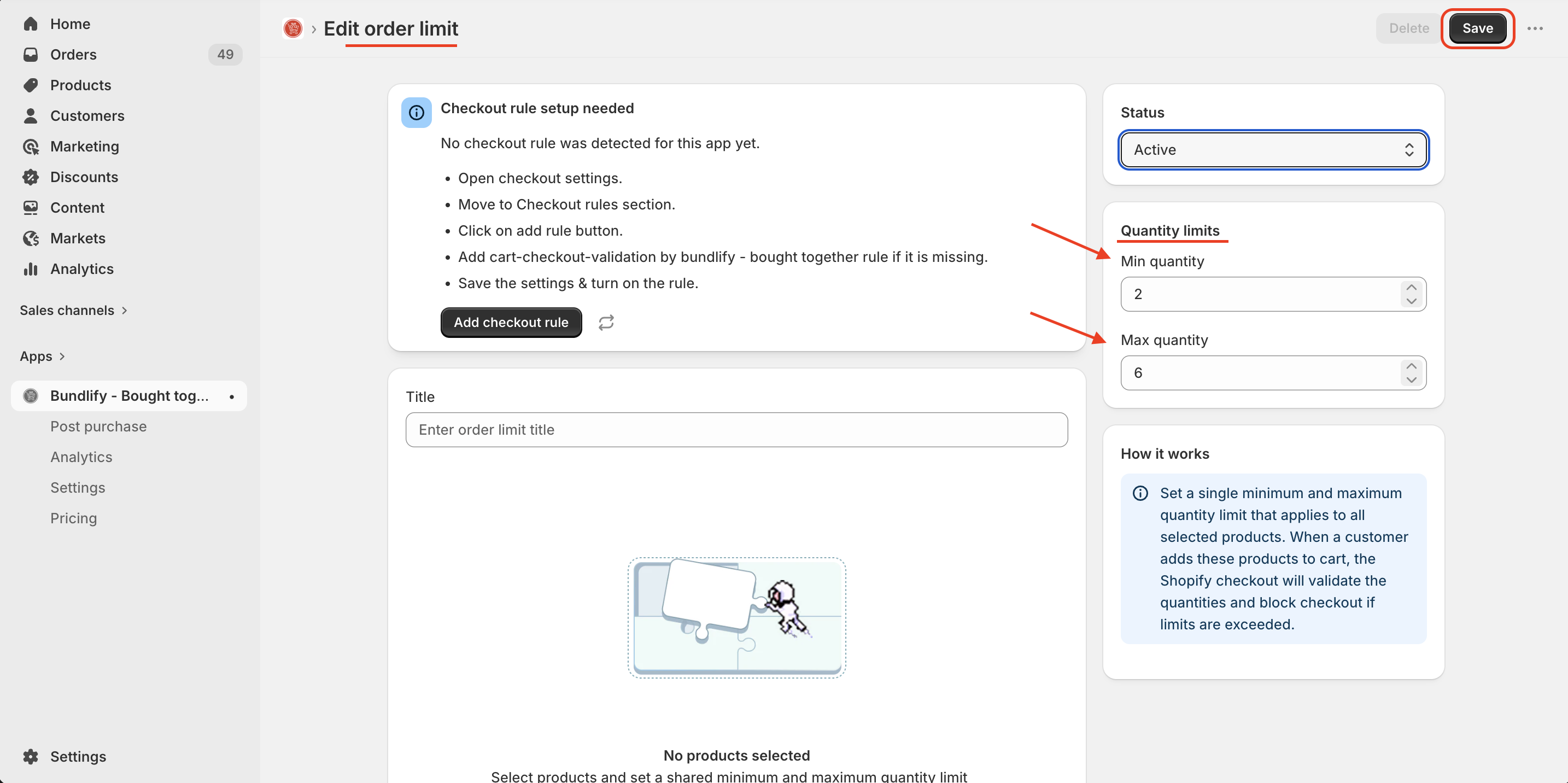
When creating a limit rule, you can configure:
- Product Selection: Apply rules to specific products or groups
- Minimum Quantity: Set the least number of items a customer must purchase
- Maximum Quantity: Define the maximum number of items allowed per order
- Rule Conditions: Customize how and when the rule is applied
These flexible options allow you to tailor rules based on your store’s needs.
What Happens When a Limit Rule is Violated?
If a customer tries to add a quantity that does not meet your defined rules:
- The system will restrict the checkout process
- An error message will be shown to the customer
- The customer must adjust their cart to meet the rule requirements before proceeding
This ensures that all orders comply with your defined limits.
⚠️ Important Note:
At least one limit rule must be created before enabling or applying Checkout Rule Validation (FAQ 6). Without an active limit rule, checkout validation will not function.
Get Bundlify app for your Shopify store from here Bundlify - Bought together