How do I deactivate the post-purchase offer feature in Bundlify?
You can easily deactivate the post-purchase offer feature in the Bundlify app by following these steps:
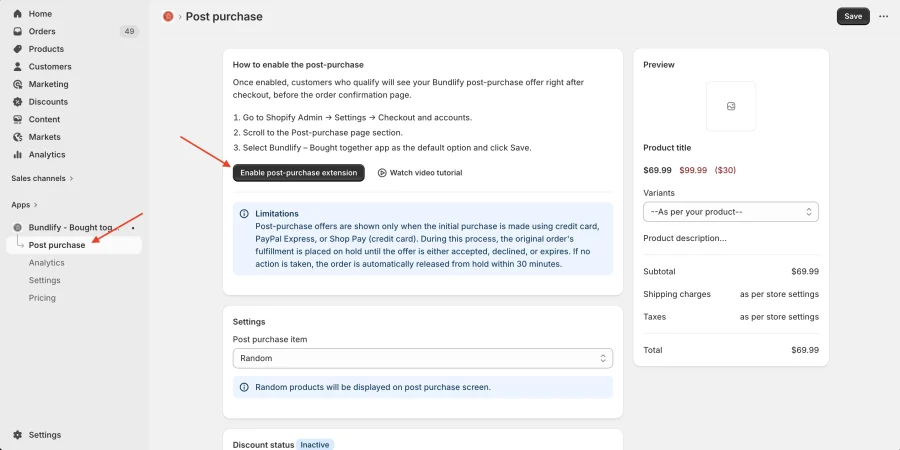
- Go to the Bundlify App Dashboard
- Navigate to the Post Purchase section
- Click on Enable Post Purchase Extension
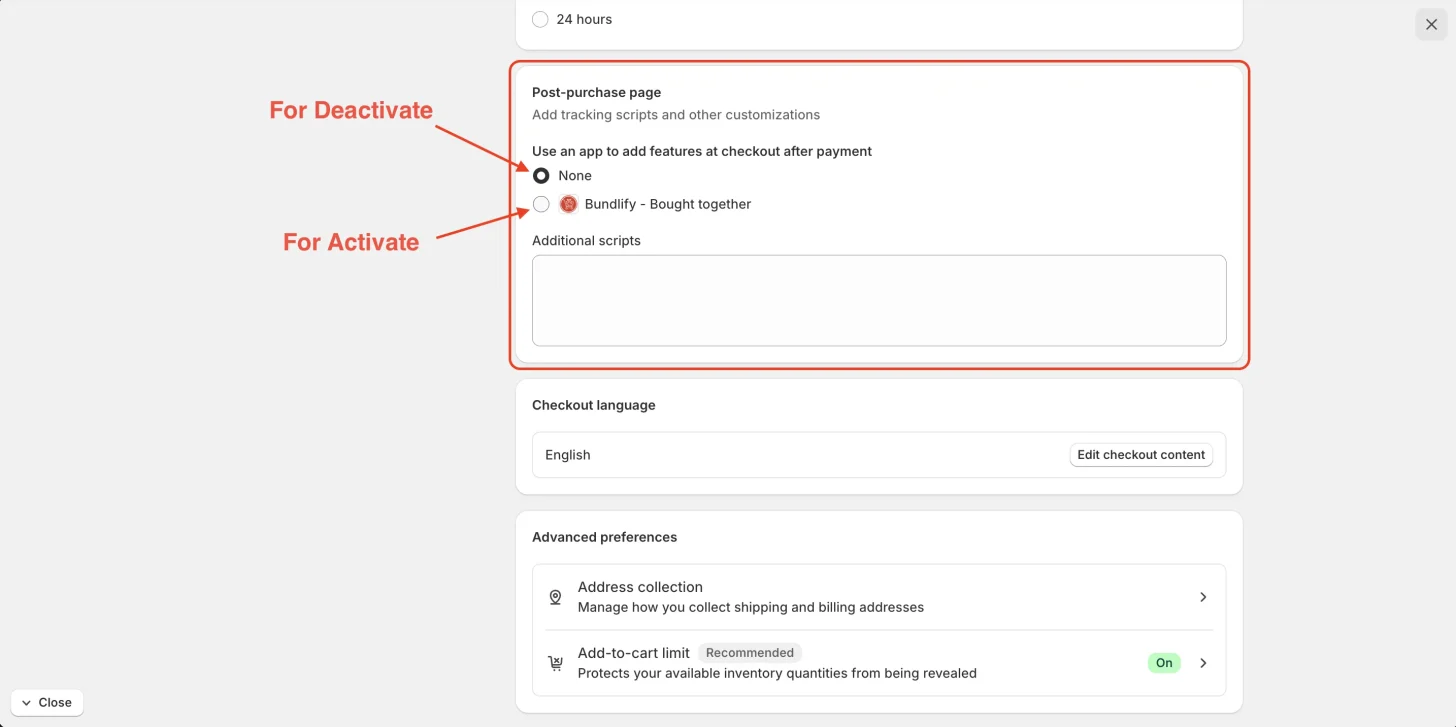
- Scroll down to the Post-purchase page settings
- Select “None” to disable post-purchase offers
- Click Save to apply the changes
Once completed, post-purchase offers will no longer be displayed after checkout.
👉 For better understanding, please refer to the images provided below.
Get Bundlify app for your Shopify store from here Bundlify - Bought together