What is App Proxy and How to Change the App Proxy URL?
The App Proxy provides your store with a dedicated page where all the bundles and recommendations created within the Bundlify – Bought Together app are displayed. This page is accessible through a unique URL connected to your Shopify store.
⚠️ Important Note:
Only bundles that are in Active mode will be visible on the App Proxy page. Inactive bundles will not appear, even if they are created in the app.
How to Use the App Proxy Section:
Follow these steps to access and manage the App Proxy:
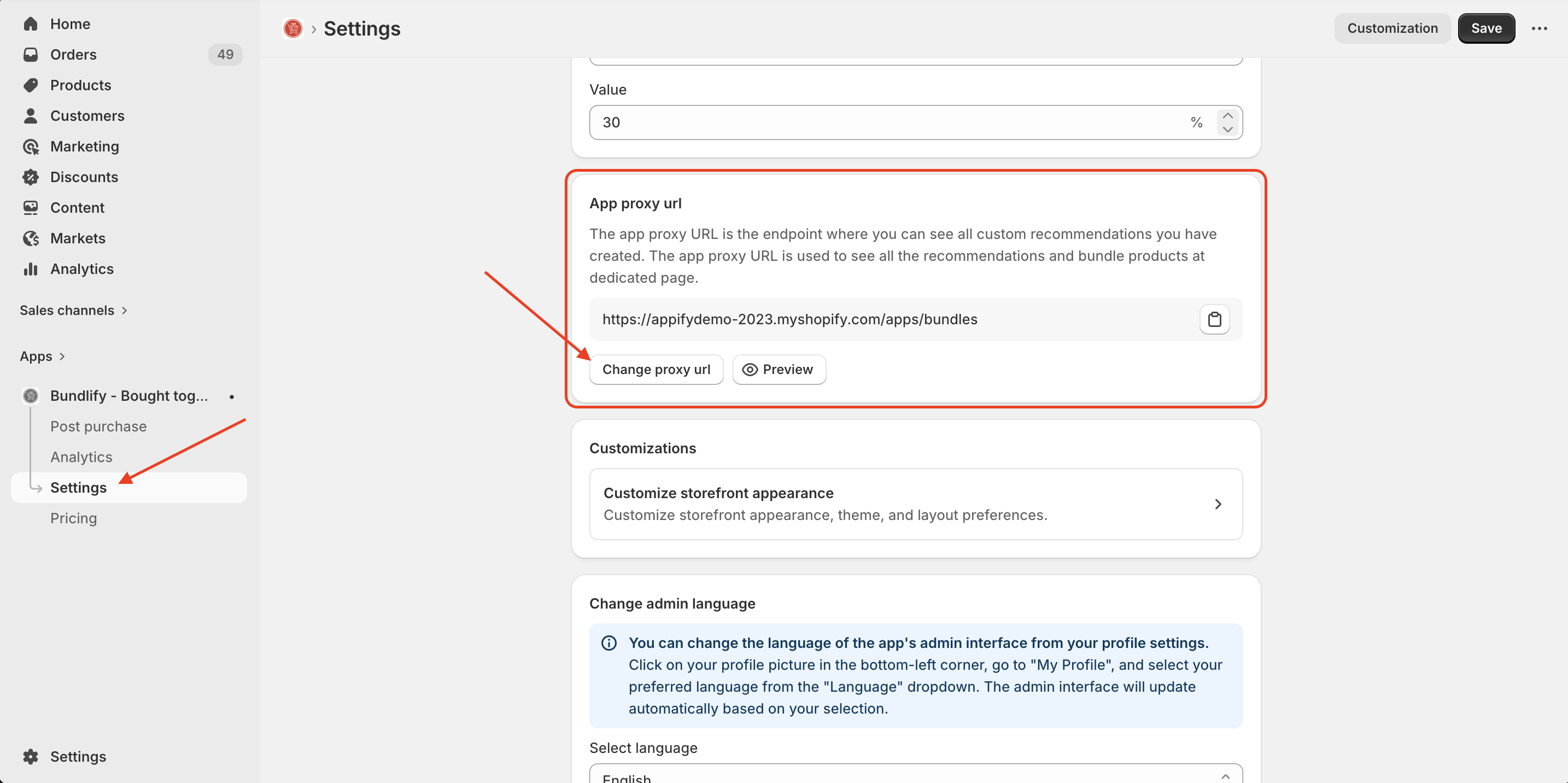
- Go to the Settings page inside the Bundlify – Bought Together app
- Locate the App Proxy section
- You will notice that the Proxy URL field is disabled and cannot be edited directly
- Click on the “Preview” button to open the proxy page in a new tab
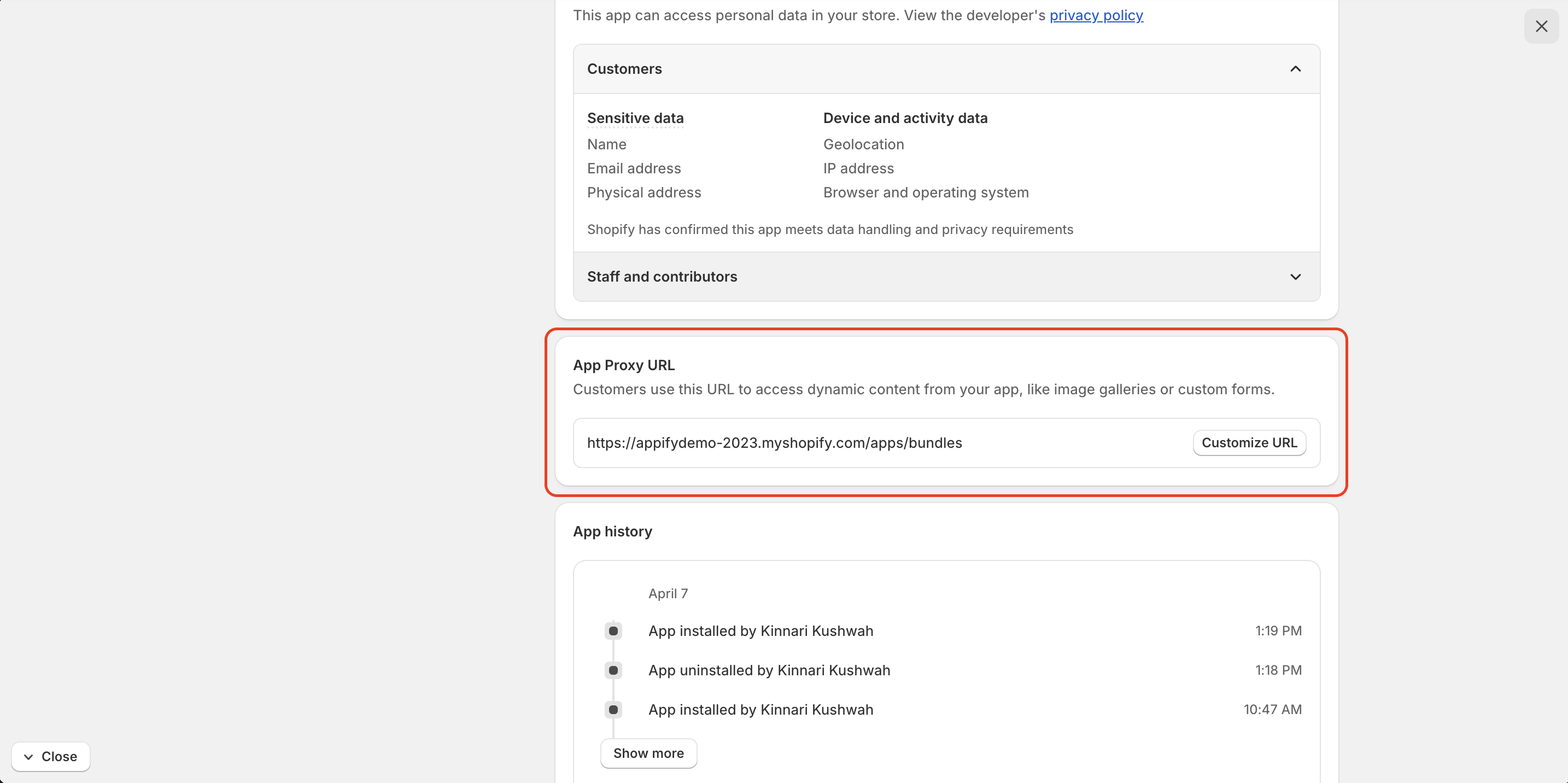
How to Change the App Proxy URL
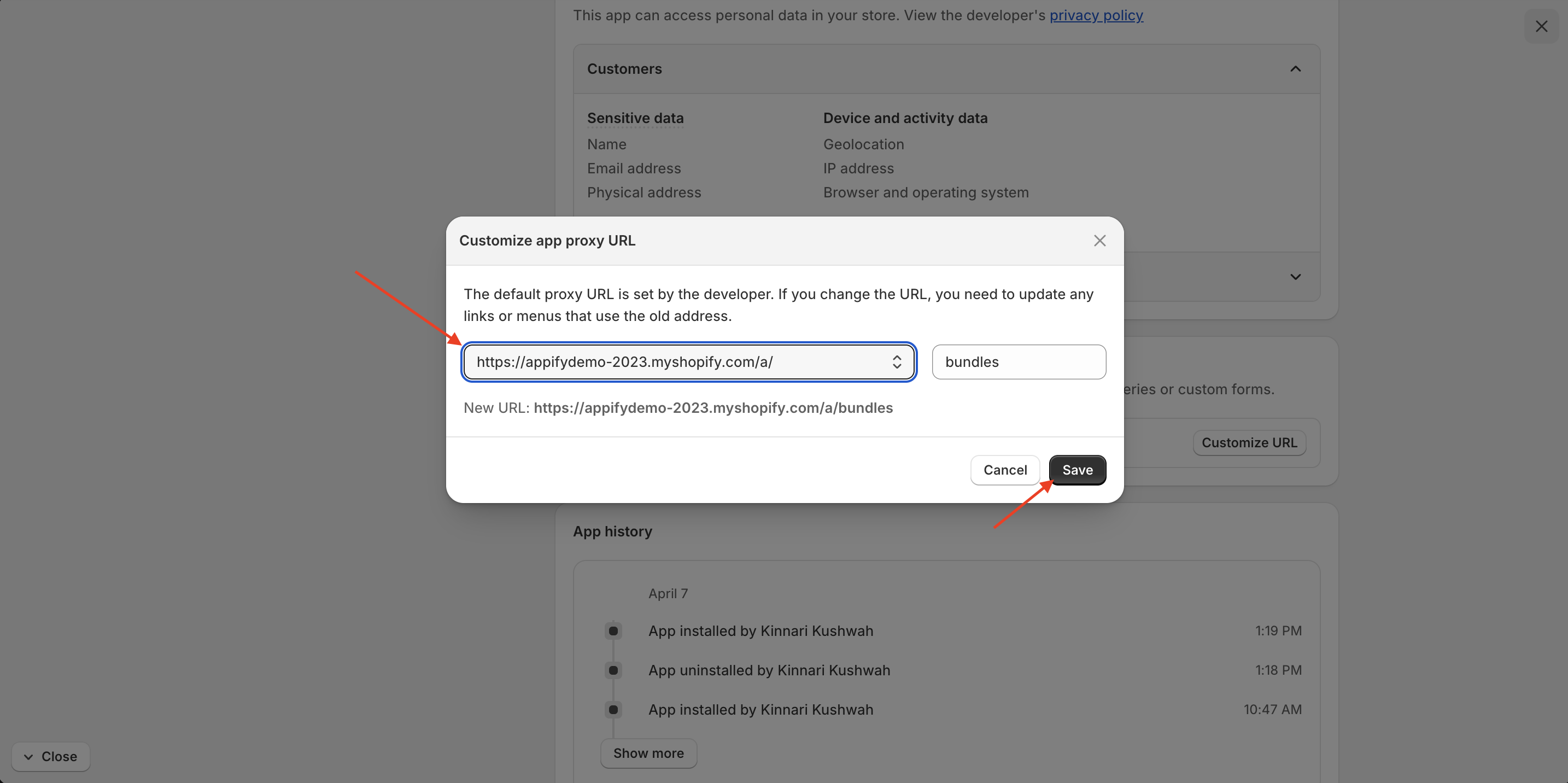
To update the proxy URL:
Click on the “Change Proxy URL” button You will be redirected to your Shopify store settings Update the proxy URL from there
⚠️ Important Note:
Updating the proxy URL from Shopify settings will change it at the store level. However, it will not automatically update inside the Bundlify app.
👉 To reflect the updated URL within the app, please contact the Bundlify support team for assistance.
Get Bundlify app for your Shopify store from here Bundlify - Bought together