How to Enable Checkout Recommendation Validation?
Checkout Recommendation Validation allows you to display a product recommendation block directly inside the Shopify checkout editor. This helps you showcase additional products to customers at the final stage of purchase, increasing your chances of upselling and boosting average order value.
How to Enable – Steps:
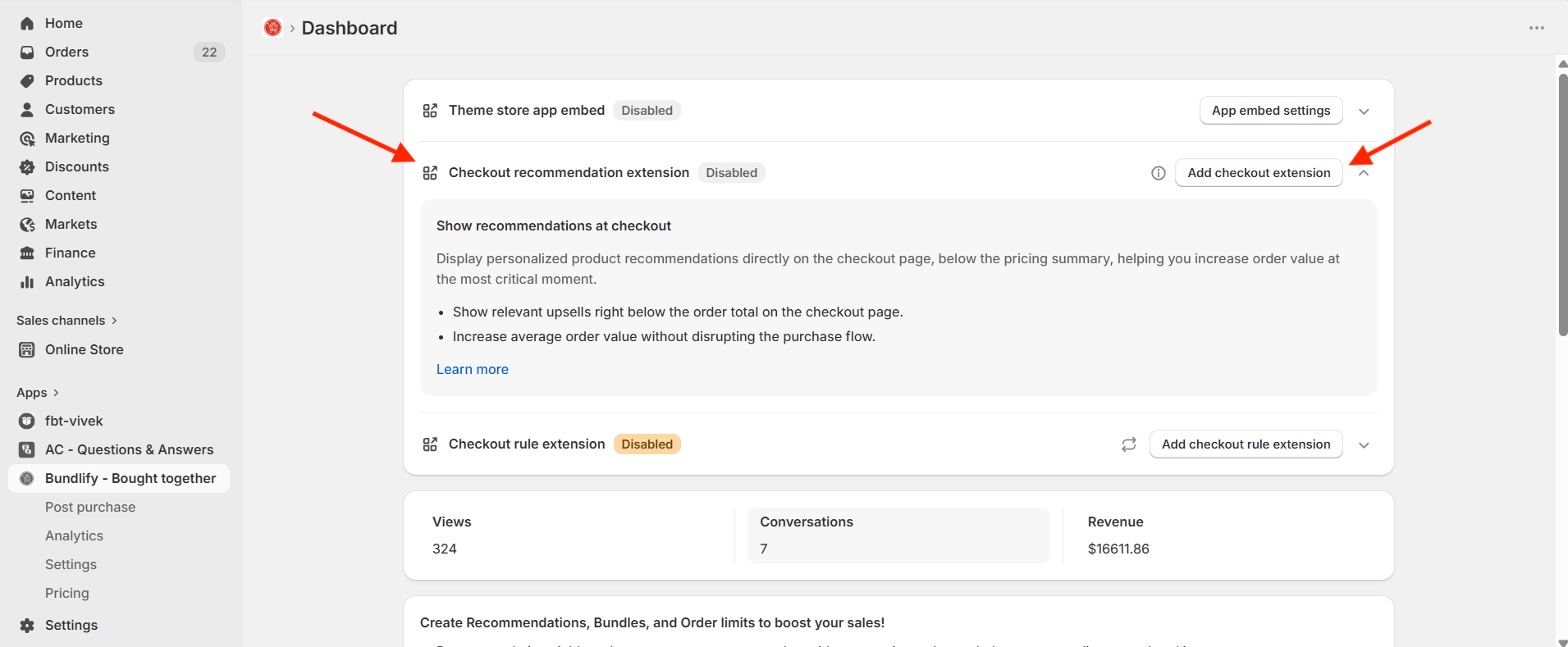
- Click the “Open Checkout Editor” button from the app or manually navigate to your Shopify Checkout Editor via store customization settings.
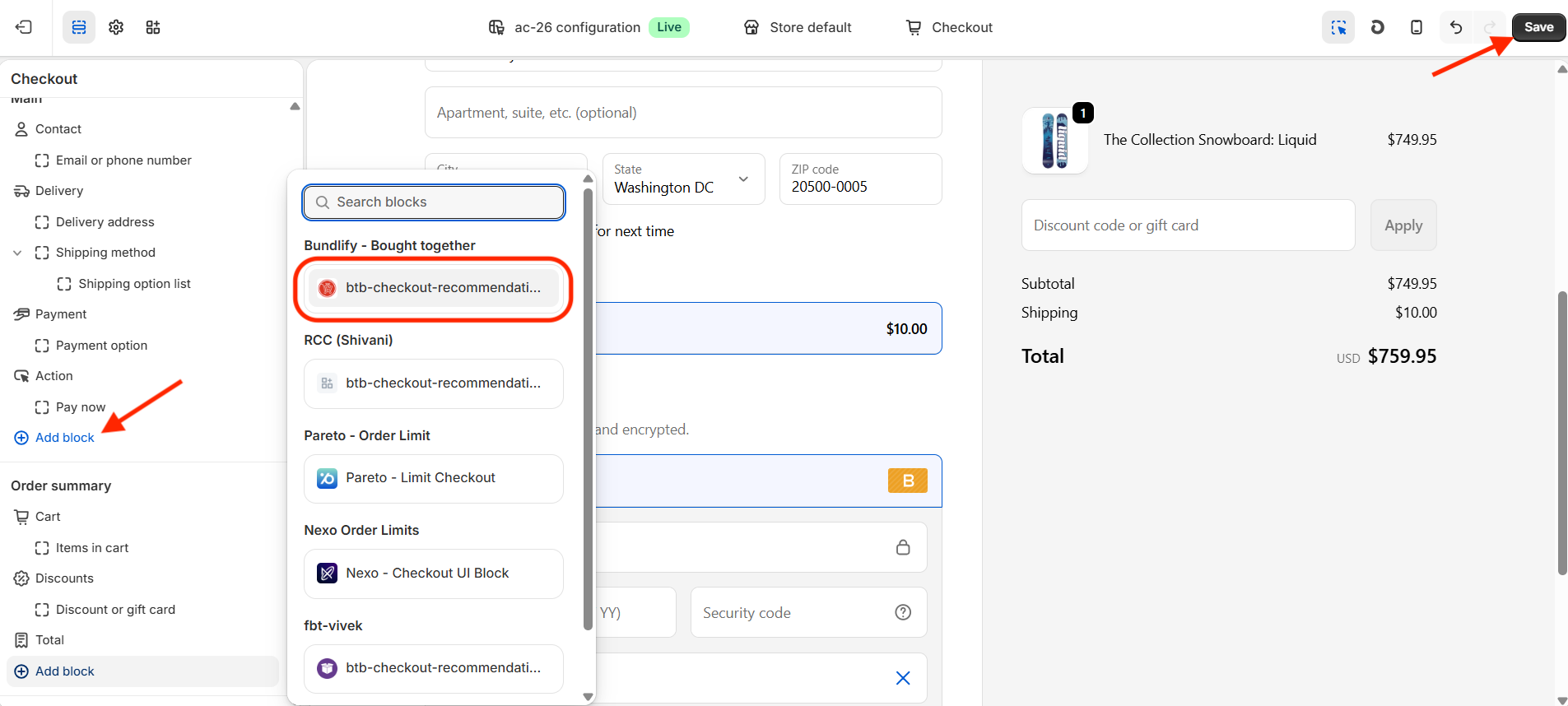
- Go to the section in the checkout where you want the recommendation block to appear.
- Click on “Add section” and select the “btb-checkout-recommendation” block from the list.
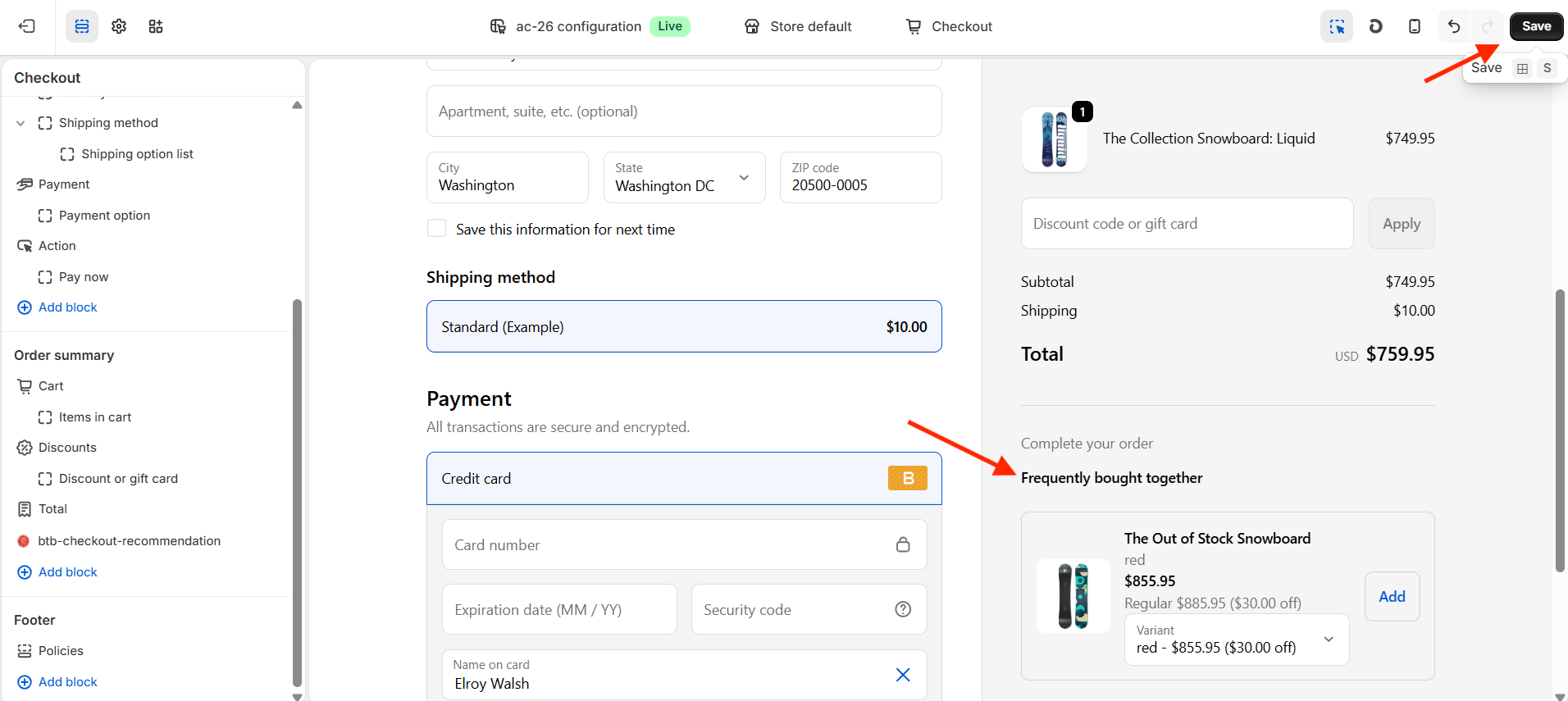
- Click “Save” to apply the changes.
✅ Your checkout recommendation block is now active and ready to display product suggestions to customers during checkout.
Get Bundlify app for your Shopify store from here Bundlify - Bought together