How to Change the Language of the App Admin Panel?
The Bundlify – Bought Together app supports multiple languages in the admin panel, allowing you to work in your preferred language for better ease of use.
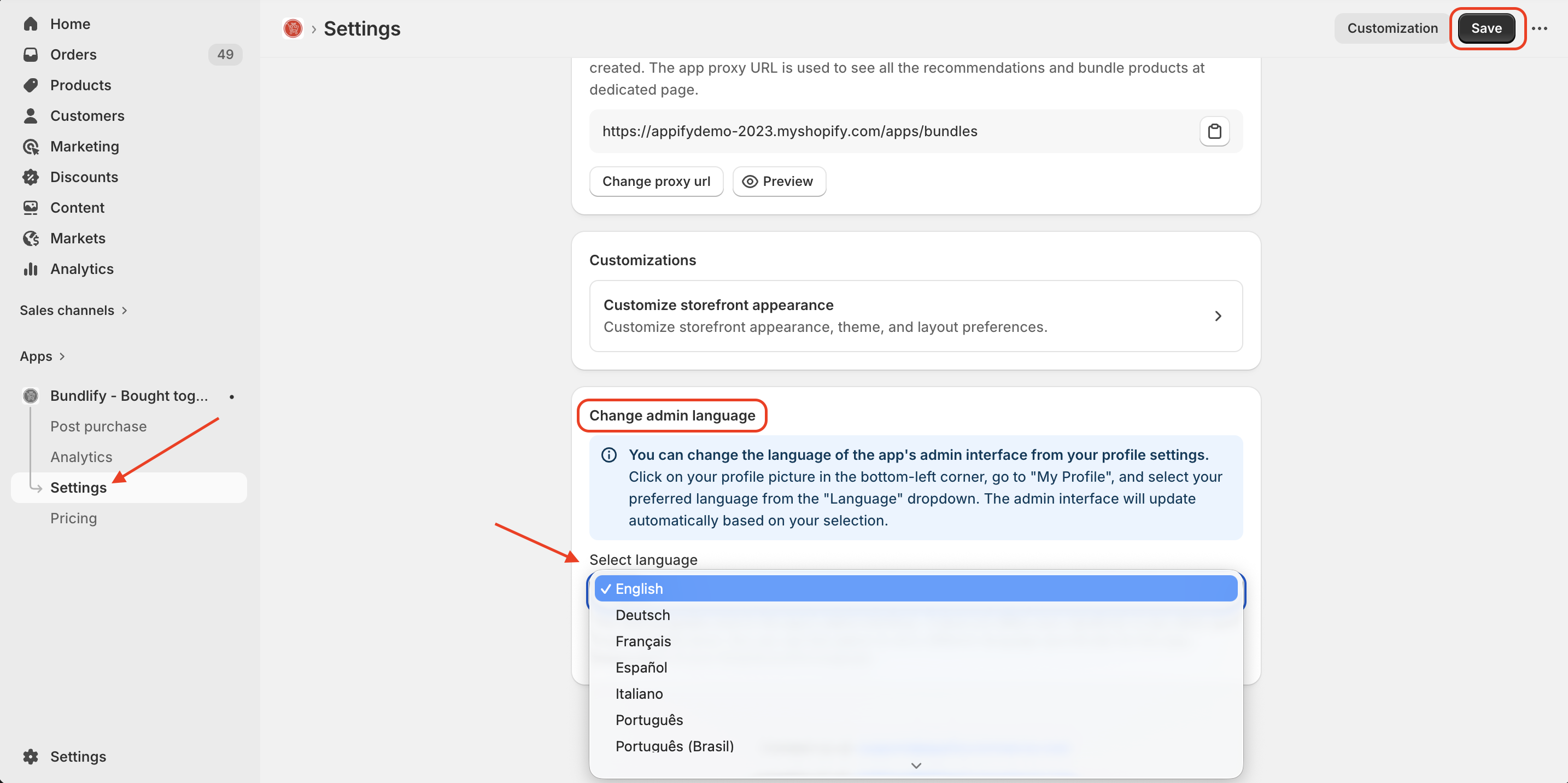
- Steps to Change the Admin Language:
- Navigate to the Settings page inside the Bundlify app
- Locate the “Change Admin Language” section
- Select your preferred language from the dropdown menu
- Click “Save” to apply the changes
Once saved, the admin interface will be updated to the selected language.
Get Bundlify app for your Shopify store from here Bundlify - Bought together