How can I disable the ZoomMaster app temporarily in my Shopify store?
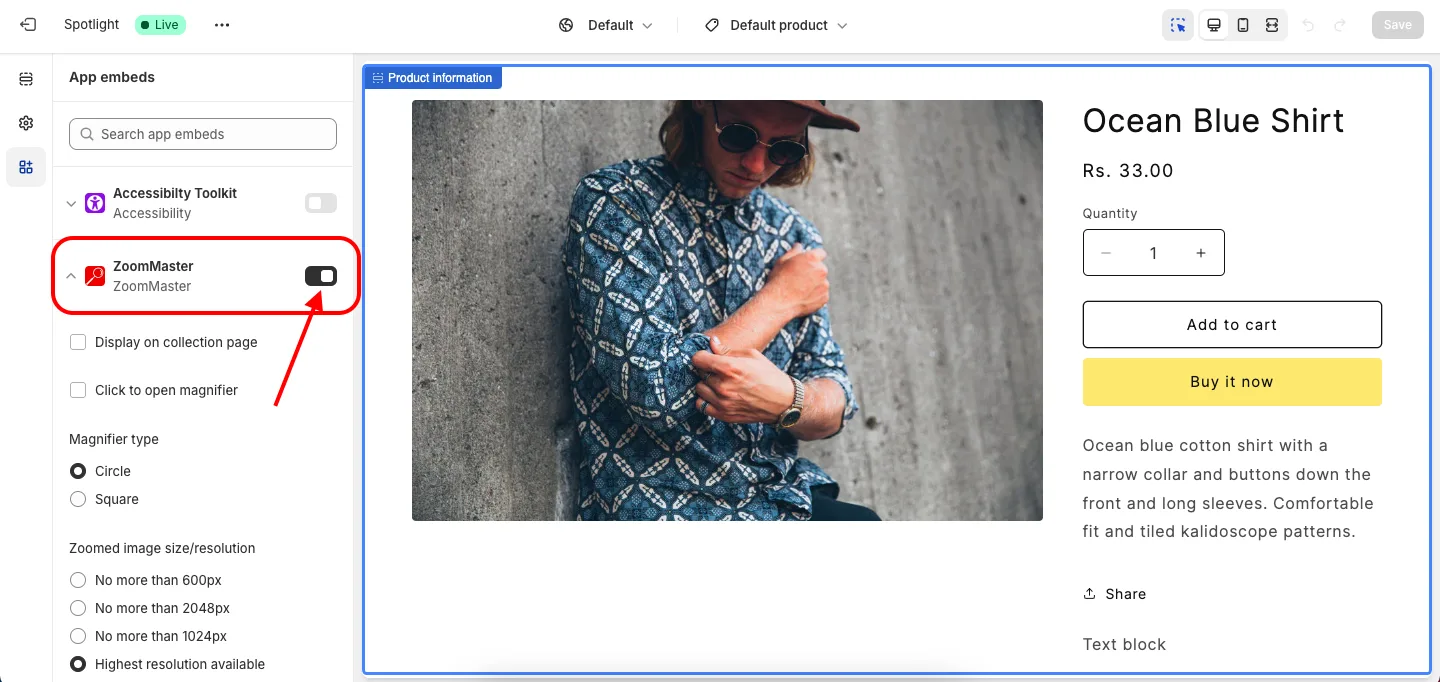
ZoomMaster runs as a theme app embed, so you turn it on or off from the Shopify Theme Editor. There is no Enable/Disable button inside the app dashboard.
- In the app, click Go to theme customizer, or go to Online Store > Themes > Customize.
- Open the App embeds panel from the left sidebar.
- Find ZoomMaster and switch its toggle off, then click Save.
Your magnifier settings are kept, so you can switch it back on at any time.
Get ZoomMaster app for Shopify storefrom here ZoomMaster