What does the SEO Setting do and what is the difference between SEO via Headers and SEO via Page Source?
The SEO Setting improves your store’s SEO by adding FAQ structured data (JSON-LD schema) based on your Questions & Answers. This helps search engines understand your content and can enable rich results in search listings.
The app provides two ways to add this schema:
🔹 SEO via Headers (Script Injecting)
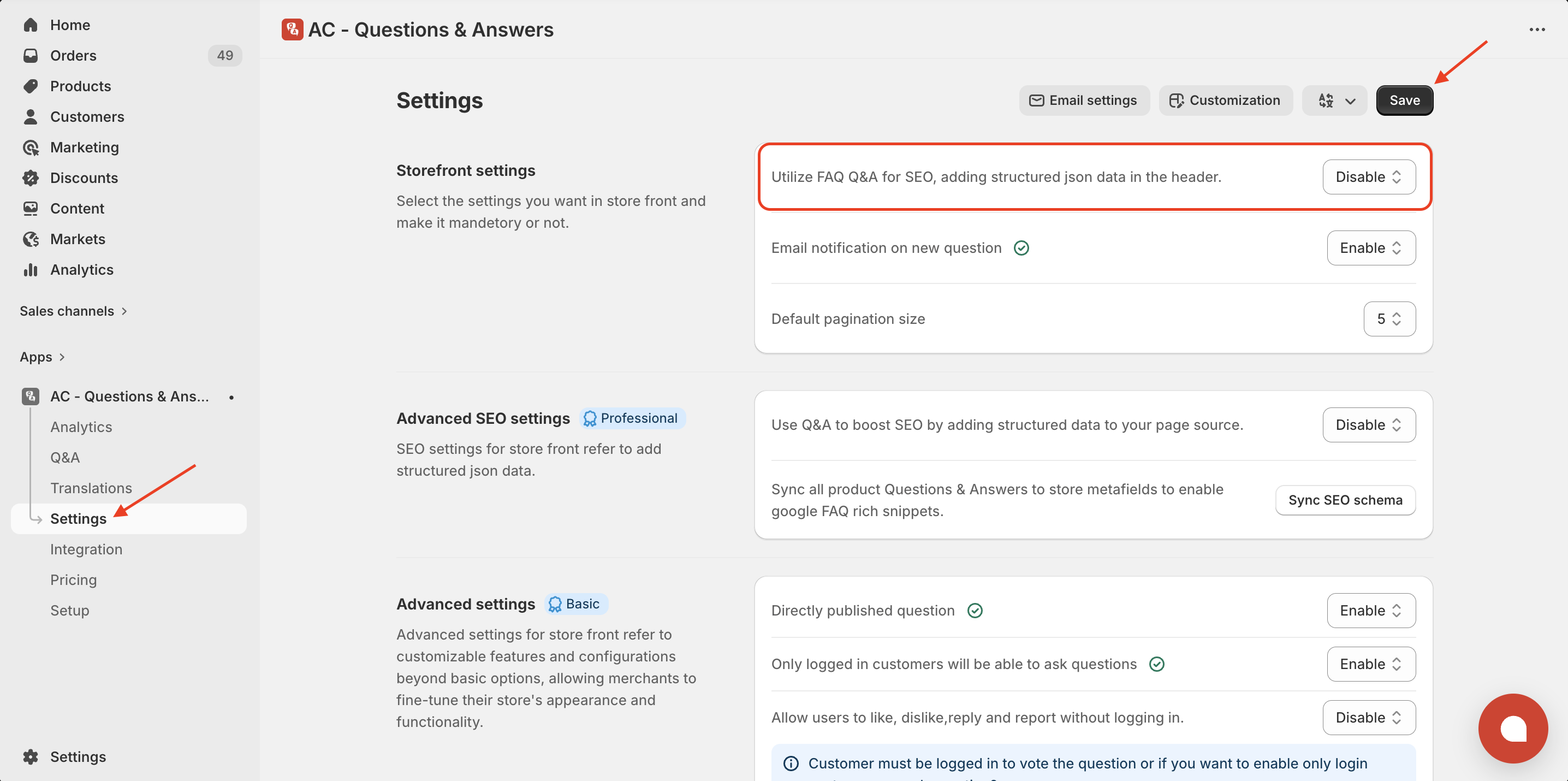
This option injects the FAQ schema script into your theme header.
• The schema will be visible when inspecting the page inside the <head> section.
• It will NOT appear in the page source content area, but it still works correctly for search engines and schema detection tools.
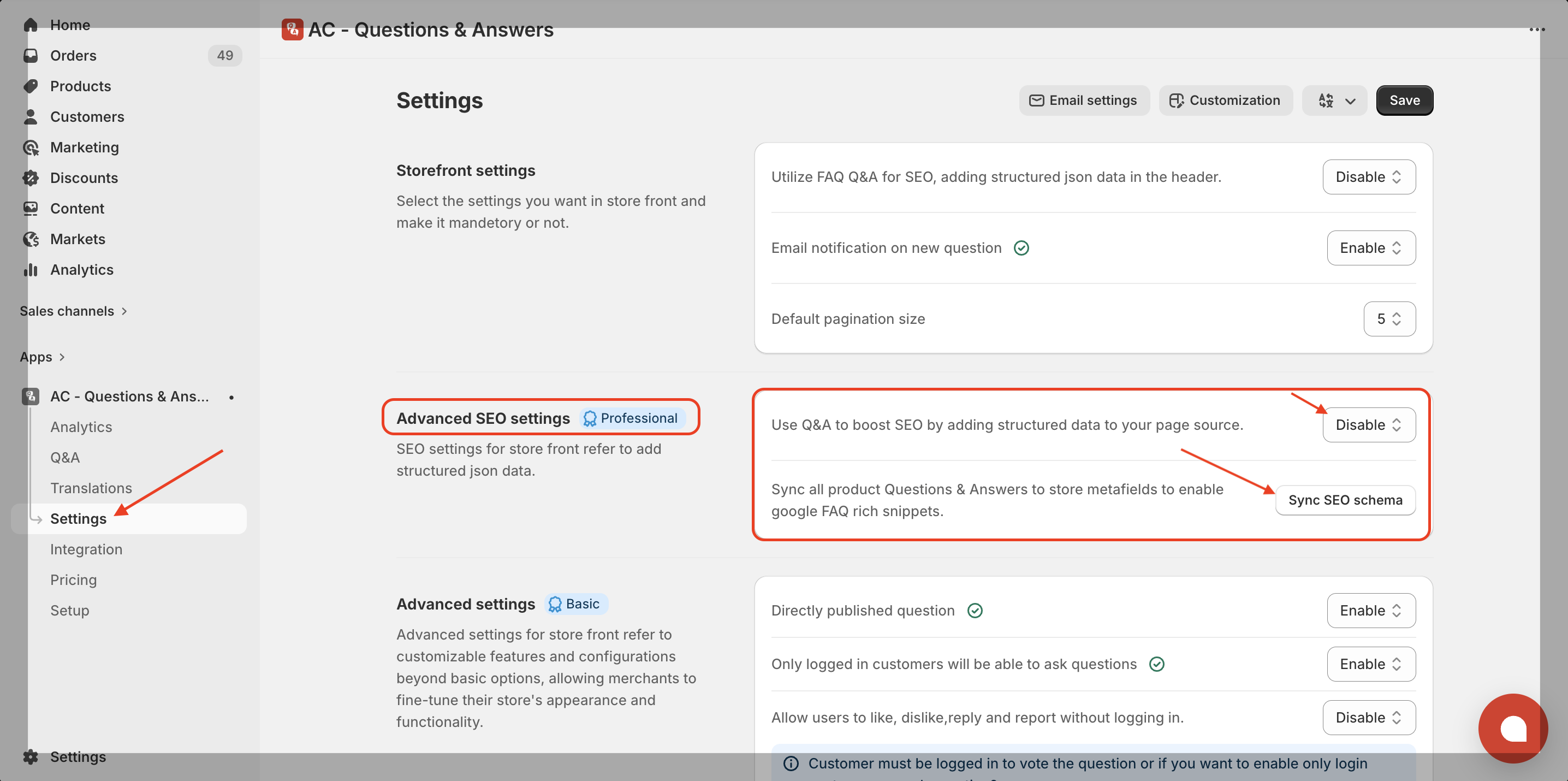
🔹 SEO via Page Source
This option adds the FAQ schema directly inside the page source where the Q&A block appears.
👉 If you require the QA schema to be visible in the page source, you should use this option.
⚠️ Important Note
Do NOT enable both methods at the same time, as this may create duplicate schema data and cause SEO conflicts. We recommend using only one method for best results.
Plan Requirement
The “Include schema in page source” feature requires the Professional Plan.
About “Sync SEO Schema”
After enabling SEO, you must click “Sync SEO Schema” to generate schema for existing (older) questions.
- Without syncing, older Q&A schema will not appear.
- Newly added questions work automatically.
- Syncing ensures all previous data is properly indexed.
Get Askify app from here for your shopify store Askify - Questions & Answers