How can I manage product-specific questions directly from the product page?
With our new feature, you can manage product-related Q&A directly inside the Shopify product page.
When you open any specific product and click on More actions, you will see three options added by the AC – Questions & Answers app:
- Add Question
- AC – View Questions
- AC – Add Question
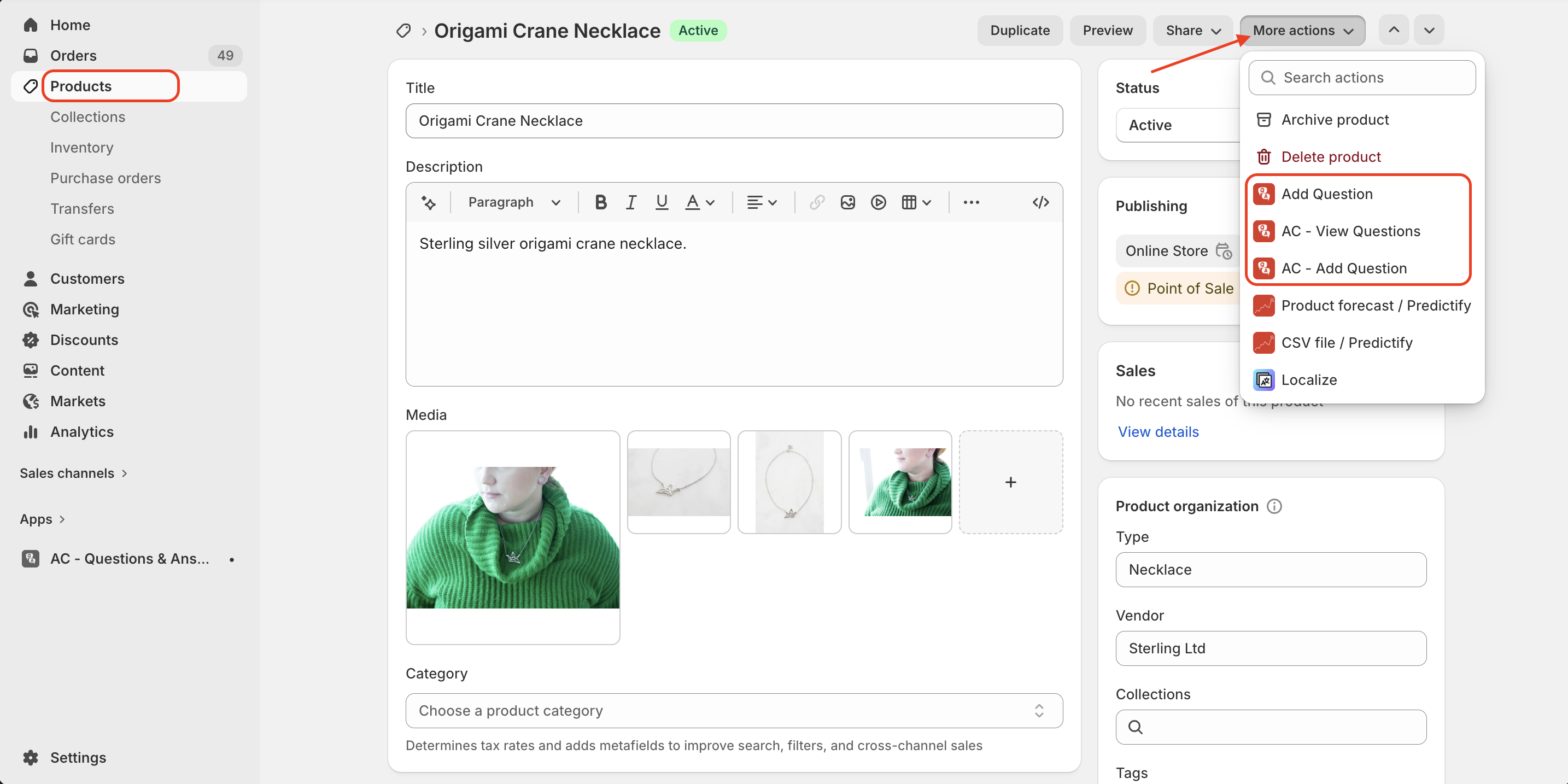
Here’s what each option does:
-
Add Question – Opens a popup instantly, allowing you to quickly add a question and answer for that specific product without leaving the page.
-
AC – View Questions – Shows all questions related to that particular product so you can review and manage them easily.
-
AC – Add Question – Redirects you to the main Q&A page inside the app, where you can add and manage questions with full control and advanced options.
In addition, the product page includes an Add Blocks section, where you can view the latest or most recent questions associated with that product. This helps you monitor activity and preview Q&A directly within the product admin.
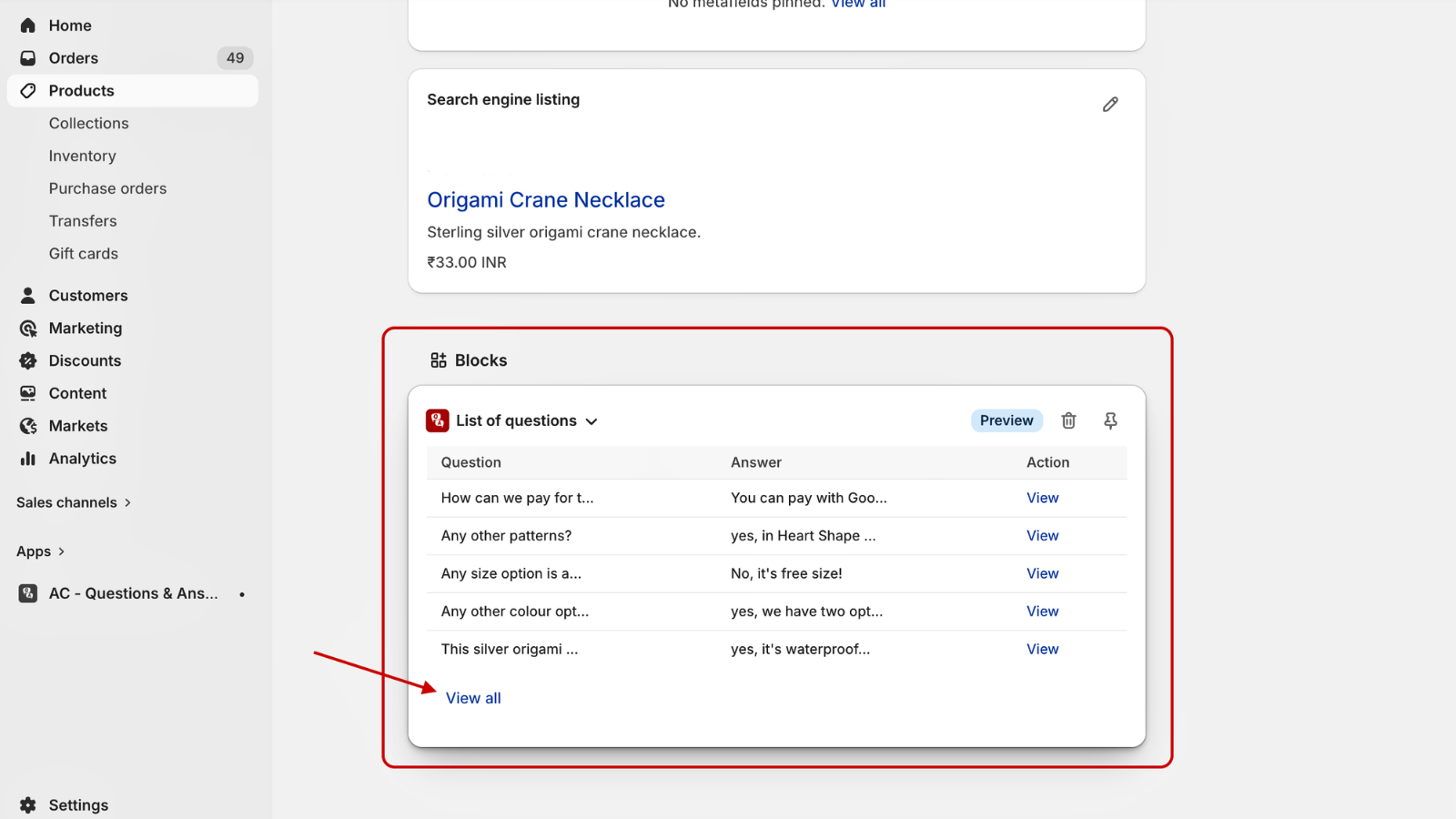
These options allow you to manage product-specific questions quickly and efficiently.
Get Askify app from here for your shopify store Askify - Questions & Answers