How can I add PRODUCT_LINK in my email notifications?
To display the PRODUCT_LINK correctly in your email notifications, you need to add it as a clickable link inside your email template.
✅ Step-by-Step Setup:
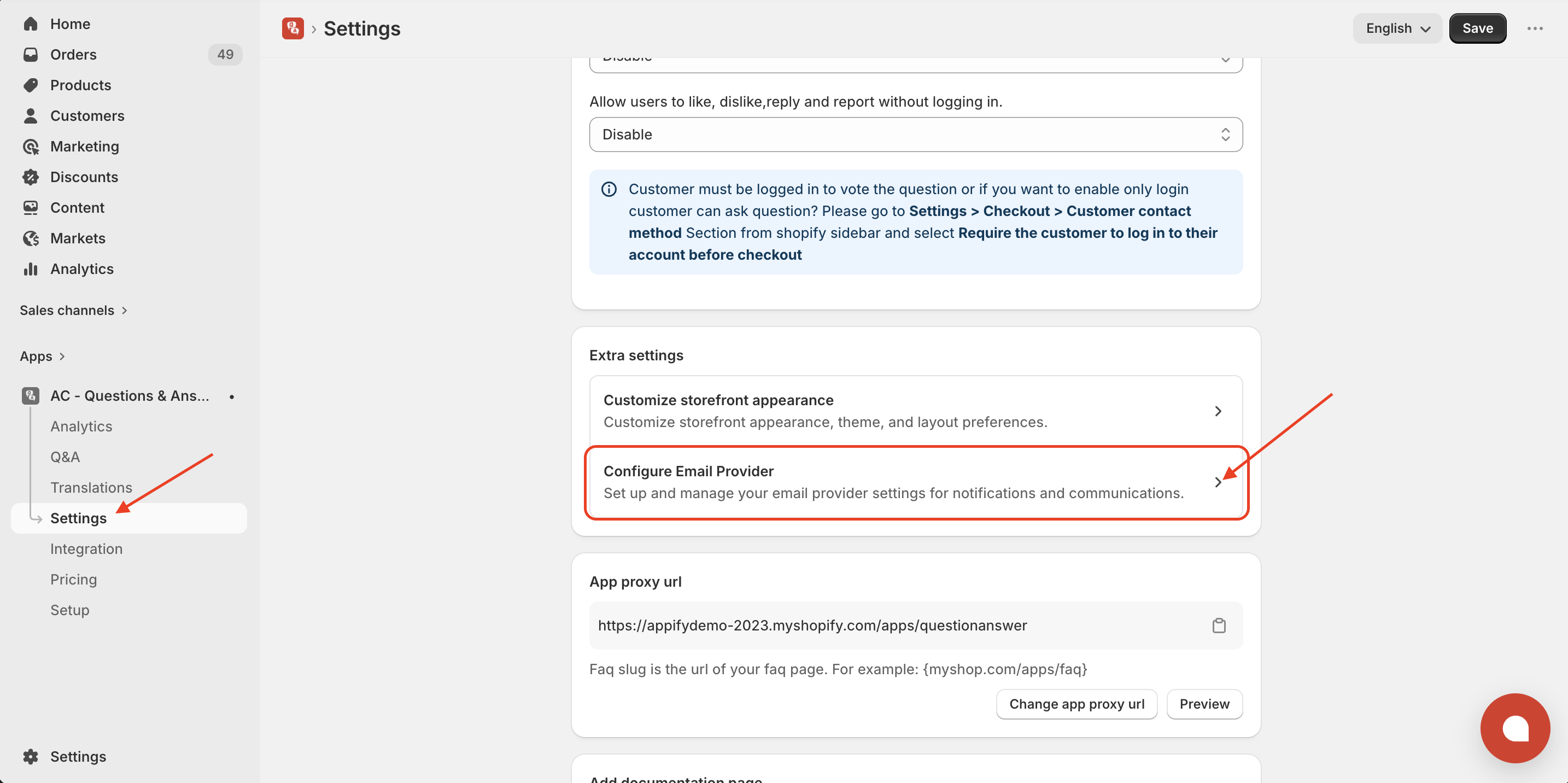
- Go to Settings → Configure Email Provider
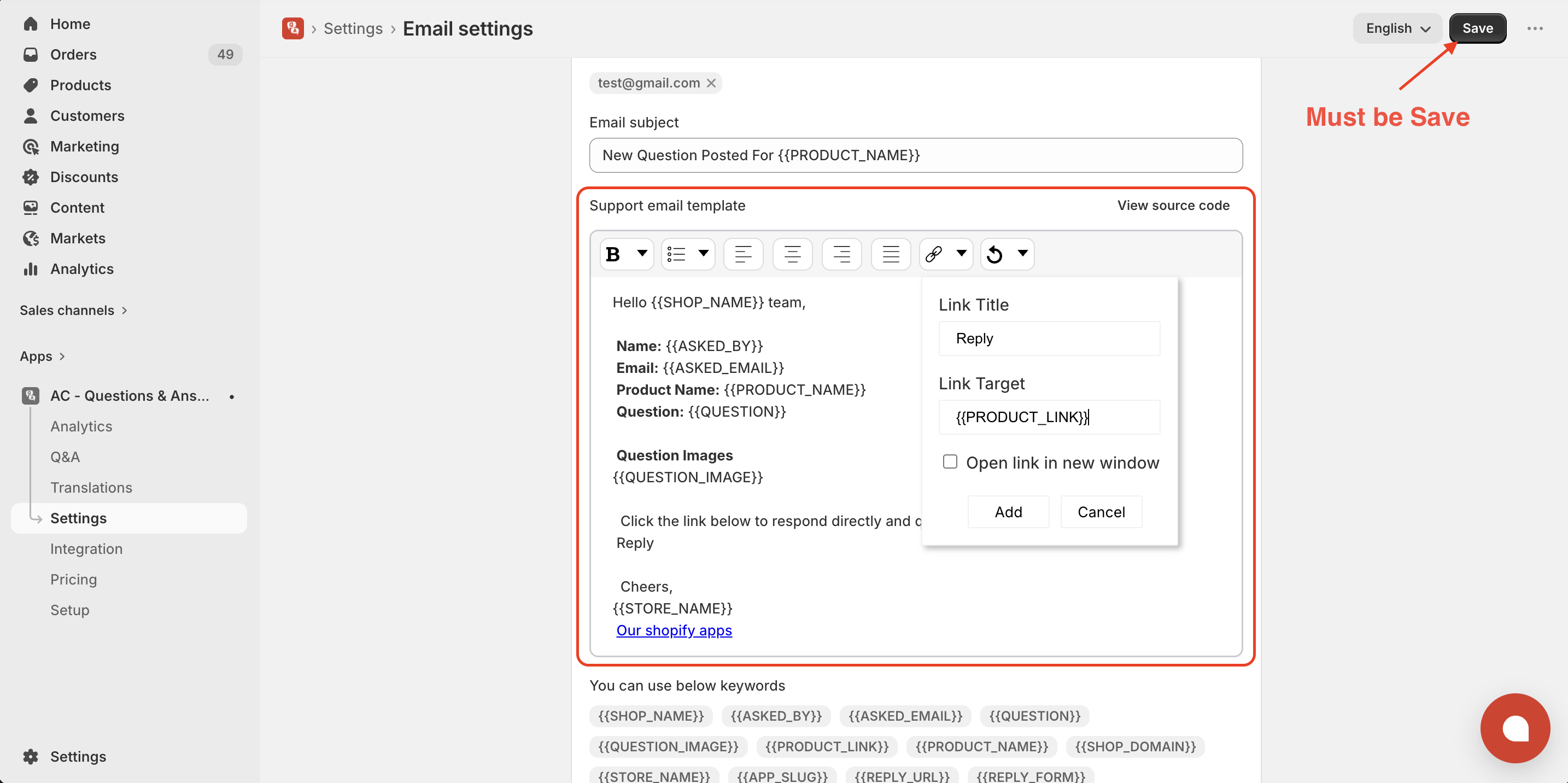
- Open the Support Email Template
- Select the text where you want to add the link (e.g., “Reply” or any text/button)
- Click on the Insert/Edit Link option
- In the Link Target, enter:
{{PRODUCT_LINK}} - Save the changes
Get Askify app from here for your shopify store Askify - Questions & Answers